AI coding agents fail at data engineering because the agent cannot see most of what it is changing: the warehouse schema, the dependency graph, the rows and the bill all live outside the file it edits. The ten failure modes below are ranked by what they cost. Nine of the ten trace to a missing fact or a missing check, and a stronger model fixes none of them.
The expensive failures return a wrong number instead of an error, so the SQL compiles, runs and goes unquestioned. The worst failure is having nothing between the agent and production, and it is also the cheapest one to prevent.
Reliability, not model capability, is the constraint. Even our best ADE-Bench run left a quarter unfinished, 32 of 43, and the same setup swung to 29 on a worse run. Build for that failure rate, not the run that goes well.
An AI coding agent that refactors a React component cleanly will still write SQL that is wrong. The wrong SQL does not fail in any visible way. It compiles, it runs, and it returns a set of numbers that look reasonable. A wrong join raises no exception, so nothing tells you the numbers are wrong.
The difference between refactoring a React component and editing a dbt model is what the agent can see. A React component carries most of its own context inside the file. A dbt model carries almost none of it. When the agent edits a dbt model, it receives that single file, and four things it needs sit somewhere else:
- the warehouse schema,
- the dependency graph between models,
- the rows the query will run against, and
- the compute bill the query will produce.
The agent is working from one piece of the problem out of five.
That gap is why AI coding agents fail at data engineering. Below are ten failure modes ordered by what they cost, each with the information or check that removes it.
Application code carries its own context, while a data pipeline depends on four things outside the file.
Failure 1. The Agent Guesses Your Schema
An agent asked to write a query has to name columns. If nobody told it the names, it guesses the name a typical schema would use. You get user_id where the column is usr_key, and created_at where it is ingest_ts.
A missing-column error at run time is the good outcome, because the warehouse refuses the query. The expensive outcome is a guessed name that does exist, in two tables, with a different meaning in each. The query runs, the numbers look reasonable, and nothing flags a problem.
Take orders.status and payments.status. orders.status records fulfillment and payments.status records authorization. Both columns hold the value complete. An agent that joins the two tables and filters on p.status = 'complete' gets a count of authorized payments. The person who asked wanted a count of shipped orders.
-- orders.status:   pending | shipped | complete   (fulfillment)
-- payments.status: pending | failed  | complete   (authorization)
select count(*)
from orders o
join payments p on p.order_id = o.order_id
where p.status = 'complete';   -- not the question anybody asked
Prompting does not fix this. A warehouse with a thousand tables does not fit in a system prompt. The schema also changes after you write the prompt. The fix is a lookup that runs at the moment the agent needs a column name. A Model Context Protocol (MCP) server is the component that does that lookup. Our MCP server configuration reference shows how to set one up.
Failure 2. SQL That Compiles but Joins Wrong
A join on the wrong key still parses and still runs. The query returns a row count that looks plausible. The error shows only when somebody reconciles that count against a source system.
The classic version is a fan-out. A fan-out is a join on a key that is unique in one table and repeated in the other. Every row from the unique side is copied once per matching row on the repeated side. Join orders to order_items on order_id, where each order has four line items. Every order row now appears four times, so summing orders.total returns four times the true total.
-- orders:      10,000 rows, one per order_id, total sums to $1,000,000
-- order_items: 40,000 rows, four per order_id
select sum(o.total)
from orders o
join order_items i on i.order_id = o.order_id;
-- returns $4,000,000
Both tables are correct, the join key is correct, and the number is wrong by 300%. Catching a fan-out needs the key's cardinality, which means how many times each order_id value appears in each table. Nothing in the SQL says whether order_id is unique in either table, so an agent that reads only the SQL cannot answer the question. The check has to run against the data.
Failure 3. Model Edits That Ignore the DAG
A dbt project is a graph of models, and each model reads from the models upstream of it. An agent editing one model sees only that model's file. It does not see the models that read from the file it is changing.
Rename customer_id to customer_key in stg_customers and the diff is four lines. Each of those four lines is correct on its own. Every downstream model that writes select customer_id now fails to compile. The dashboard at the end of that chain fails with them, on the next scheduled run.
Column-level lineage prevents this failure. It maps which downstream columns read from each upstream column, so an agent that holds the map before the change lands can list every model the rename touches. That list is the blast radius. The agent then either edits those models in the same pull request, or it stops and asks you. The same lineage query run after the merge produces an incident report instead of a fix. Our write-up of blast radius analysis covers the mechanics.
Failure 4. Generated Queries That Leak Personal Data
Ask an agent for a debugging query and it will SELECT * from a customer table. That result set may hold email addresses, phone numbers and payment identifiers. It then lands in a log, a terminal buffer or a shared notebook.
The agent is not behaving badly. It answered with the most direct query available. Nobody told it which columns carry personal data, so it had no reason to leave any column out. A column called email_address announces what it holds, and a column called contact_2 announces nothing. The agent cannot classify contact_2 from its name, so the classification has to come from you.
The fix is a classifier that reads the query before it runs. Pattern matching for personal data runs offline and costs no tokens. Sending the same check to a model is worse on privacy, because the check itself ships your sensitive column names to a third party. You declare the rules in our governance configuration.
A four-line diff can break twelve downstream models, so diff size does not measure risk.
Failure 5. No Idea What the Query Will Cost
An agent has no price list. Asked a question about yesterday, it scans a year of history, because nothing told it that the year costs more than the day. A one-day scan returns the same answer. Only the year-long scan shows up on the bill.
Snowflake bills warehouse compute by warehouse size, and an X-Large warehouse costs 16 credits an hour.
| Warehouse size | Credits per hour | One 10-minute scan | The same scan, 20 times |
|---|---|---|---|
| Small | 2 | 0.3 credits | 6.7 credits |
| Large | 8 | 1.3 credits | 26.7 credits |
| X-Large | 16 | 2.7 credits | 53.3 credits |
An agent iterating toward an answer reruns that scan on every attempt, and the table above prices that loop at twenty attempts. Nothing in the loop reads what the last attempt cost, so the agent has no reason to make the twentieth scan any cheaper than the first. The bill arrives at month end. It is attributed to a warehouse rather than to the session that ran the loop, so nobody connects the cost to the agent.
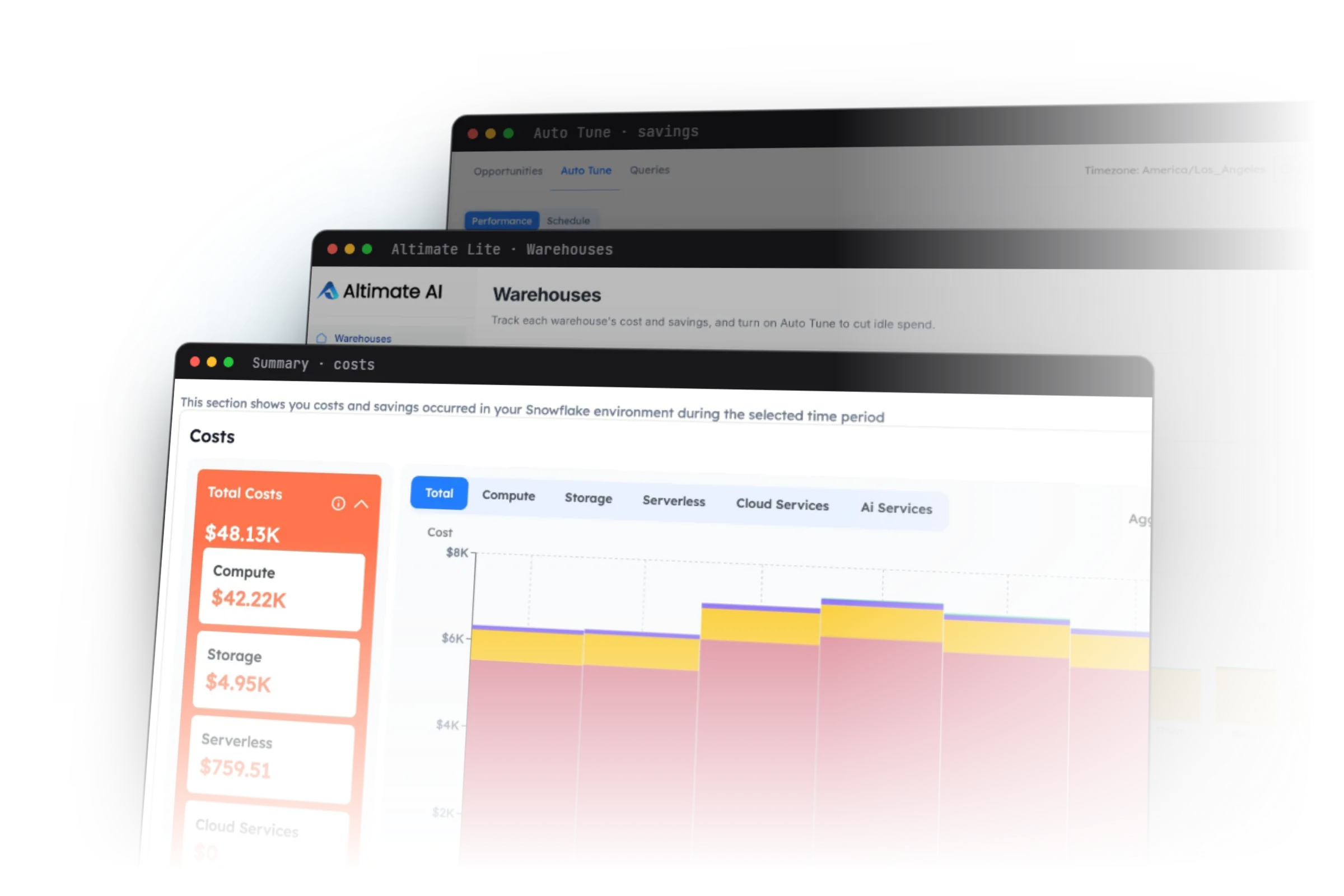
A cost estimate only changes what the agent does if the estimate arrives before the query runs. Estimating the cost means reading the table statistics and the warehouse configuration, because the query text alone does not say how many rows it will scan. Altimate publishes 85% accuracy on its cost analysis. Wire a pre-execution estimate into the agent loop and the twentieth scan never runs.
Failure 6. Every Session Starts From Zero
You explain on Monday that the orders table has duplicate rows before 2021 and everyone filters them out. On Tuesday the agent writes a query without the filter.
Chat history is a transcript, and a transcript ends when you close the window. The next session starts with a model that knows the general shape of a dbt project and nothing about yours. The model cannot tell those two kinds of knowledge apart, so it writes the query with the same confidence either way. You can restate the rule at the start of every session. That works until one person forgets to.
What helps is a written store that the agent reads on every run. That store holds the project's rules rather than its conversations. The duplicate-row rule and the project's definition of revenue each fit on one line.
# rules.yml, read on every run
rules:
  - "orders holds duplicate rows before 2021-01-01. Filter on ingest_ts."
  - "Revenue means net revenue. Read fct_revenue_net, never orders.total."
A human reads that file in a pull request and corrects a wrong rule in one line, dated and attributed. The alternative is an embedded memory that nobody can open and read. A wrong rule in there produces confident errors, and nobody can trace an error back to the sentence that caused it.
Failure 7. The Agent Recommends Anti-Patterns Cheerfully
Ask for a query and you may get SELECT * in a production model. You may get a cross join the agent did not mean, or an ORDER BY inside a subquery the optimizer discards.
None of these are unusual mistakes. The model learned SQL from public code, and public SQL records what people wrote under deadline rather than what they knew was correct. The model repeats the common habit with the same confidence it gives a correct answer.
Altimate publishes 19 anti-pattern rules scoring 100% accuracy across 1,077 benchmark queries. That accuracy holds because each rule is compiled code that reads the parse tree of the query. A compiled rule either finds SELECT * or it does not, and it returns the same answer on the thousandth run as on the first. The validator reference lists each rule.
Failure 8. Tests That Never Assert Anything
Ask for tests and you get tests. Read them and you find assertions that only check that rows exist.
The test suite grows and the coverage number improves, while nothing is verified. A test that fails gets fixed. A test that can never fail gets trusted, which is the more dangerous outcome. The coverage number only counts test entries in a YAML file.
A generated test earns its place by failing when the thing it describes breaks. A not_null test on a column the warehouse already declares NOT NULL can never fail, so it adds a row to the coverage count and tells you nothing.
# fct_orders.order_id is declared NOT NULL in the warehouse
models:
  - name: fct_orders
    columns:
      - name: order_id
        tests:
          - not_null    # green forever, asserts nothing
          - unique      # can fail, so it is worth running
Point every generated test at a corrupted copy of the table. Delete the ones that stay green.
Failure 9. Correctness Judged by Another Model
The common pattern for validating agent output is to ask a second model whether the first one was right. For prose that pattern is defensible, because prose has no ground truth to compare against. For a query rewrite the same pattern throws away the ground truth you already have.
Whether a rewritten query returns the same rows has an exact answer. You get it by running both queries against the same snapshot and comparing row by row. A model asked the same question reads the two queries and produces an opinion. The opinion is often right and never checkable, because the model never ran either query.
We made this point on a DataCamp panel about what AI agents are really changing. A data diff runs both queries and lists every row that differs. Use a data diff rather than a second opinion on anything where rows can settle the argument.
Failure 10. Nothing Between the Agent and Production
Give an agent live credentials with no policy in between and one bad session can end the whole rollout. Every session is one more chance to run a statement nobody reviews. One of those sessions eventually drops something you cannot get back.
Atlan's write-up on agent failures in production names a concrete case. In July 2025 a Replit AI coding agent deleted a production database. The agent held standing privileges to that database.
The only instruction not to touch production was verbal, which is a social control rather than a technical one. The credentials allowed the delete, so the delete ran.
Three controls stop an agent session from doing unrecoverable damage:
- Permissions cover only the task in front of the agent.
- A confidence threshold makes the agent hand a low-confidence action to a human instead of executing it.
- A log records every action, with the policy that allowed it.
None of the three controls is a better model, and none of them asks the agent to behave. A permission the agent does not hold cannot be misused. Our permissions model covers how you declare one.
Our Runs Put the Failure Rate Near One Task in Four
A good agent on a good model still fails often enough to matter. Two models ran the same 270 DataAgentBench trials through one harness, recorded on our benchmarks page. One harness means the same agent code, the same prompts and the same tools. Only the model changed between the two columns.
| DataAgentBench, 270 trials each | Claude Sonnet 4.6 | DeepSeek v4 pro |
|---|---|---|
| Stratified Pass@1 (the share of tasks solved on the first attempt, balanced across task types) | 60.4% | 56.9% |
| Cost per trial | $0.76 | $0.29 |
| Trials that produced nothing | 32 | 79 |
| Empty-run rate | 12% | 29% |
On the first row the two models look interchangeable, three and a half points apart. On the last row the cheaper one wrote nothing at all more than twice as often. A Pass@1 score records only whether the task was solved. A trial that produced nothing and a trial that produced a wrong answer count the same.
ADE-Bench measures data engineering task completion. Our best run against Snowflake is 74.4%, at 32 of 43 tasks. One task in four still does not complete. Snowflake's Cortex Code CLI reports 65% on the same 43 tasks.
We ran the identical 43 tasks repeatedly on the same harness and the same model, and the runs spanned 32 tasks down to 29. A seven-point swing on a fixed task set means one passing run proves very little.
Assume the failure rate is high and build for it. The compiled checks that catch these failures run at 0.48 ms per query, so skipping them saves nothing. A team that assumes a 95% success rate reviews as though the agent is usually right. That habit is what lets a fan-out join through, because nobody reconciles a number they expect to be right.
Two models that look close on Pass@1 and are not close at all on how often they produce nothing.
What Makes AI Coding Agents Fail at Data Engineering
| Failure | What the agent lacked | What fixes it |
|---|---|---|
| Guessed schema | live catalog at call time | MCP server, not a longer prompt |
| Wrong join | key cardinality | deterministic check on the data |
| DAG break | downstream graph | column-level lineage before merge |
| Data leak | column sensitivity | offline pattern classifier |
| Cost blindness | table stats and warehouse config | pre-execution estimate |
| No memory | the project's written rules | reviewable memory file |
| Anti-patterns | a rule set | compiled rules, not inference |
| Empty tests | a failing case | run the test against wrong data |
| Model-judged correctness | the actual rows | data diff |
| No guardrail | a policy | scoped permissions plus audit log |
Atlan's write-up of why agents fail in production reaches the same conclusion and names fragmented context rather than weak models.
None of the ten fixes is a better model. Nine of the ten are information the agent lacked, or a check with an exact answer. The tenth, the guardrail, is a policy that limits what the agent can do at all. You build the information and the checks once, and they hold for every model you swap in afterwards.
Deterministic tooling alongside the model works through why the tooling under the agent decides more than the model you pick. Nine signs your data platform needs an agent-first overhaul is the same diagnosis one layer up, at the platform level.
Frequently Asked Questions
Most of them do not improve with the model. Nine of the ten fixes in the table above are information the agent lacked or a check with an exact answer, and neither changes when the model gets better. A better model guesses a schema more plausibly, and a plausible wrong guess is harder to spot than an obvious one.
They apply to both. An assistant that completes a query in the editor and an agent that runs one both write against a schema they cannot read. The assistant fails less often only because a human reads its output before anything executes. Failure 10, the missing guardrail, is the one failure that only an agent has, because an editor assistant holds no credentials of its own.
Almost none do. Cleanlab's 2025 survey of 1,837 engineering and AI leaders found 95 with agents live in production. That is about 5%. The constraint is reliability rather than model capability.
Only one goes away outright. An agent running inside Snowflake or BigQuery starts with the warehouse schema already loaded, which removes Failure 1. Google's BigQuery agent is a good example. The other nine do not depend on where the agent runs. The DAG, cost, memory and governance failures all stay, because none of that context lives in the warehouse's schema either.
Fix the one that has already cost you something. If nothing has broken yet, fix the missing guardrail between an agent and production. It is the only one here where a single incident can be unrecoverable rather than merely expensive.