An agent that guesses your schema writes plausible SQL that does not run. MCP lets the agent look the schema up instead. This list of the best MCP servers for data engineering covers ten categories, ranked from warehouse servers down to the local filesystem.
Check maintenance status before you install. The MCP steering group archived its reference PostgreSQL and GitHub servers, and config examples in 2025 tutorials still name them. Copying one of those examples installs a package nobody patches.
The spec tells a client to treat a server's own tool labels as untrusted. A tool that labels itself read-only has therefore proved nothing. Start read-only, scope a filesystem server to one directory, and widen access only when you choose to.
You point an AI agent at your dbt project and ask it to write a model. The agent has no way to read your warehouse, so it guesses the schema. The SQL it writes looks plausible, then fails on the first column name the agent invented. Model Context Protocol, or MCP, is the standard that lets the agent look the schema up instead of guessing. The spec defines how a server exposes tools any compatible agent can call.
Pasting the schema into the system prompt does not work either. A production warehouse holds too many tables for one prompt. The schema also changes while you write the prompt, so the pasted copy goes stale. This guide ranks ten categories of MCP server by what they expose, covering:
- what each server is,
- who it fits,
- what it costs, and
- where it falls short.
MCP Replaces Per-Agent Wiring With One Server
Before MCP you wired each agent to each data system by hand. Three agents against one lineage store meant three integrations to write and maintain. MCP replaces that wiring with one server. The server declares a set of tools, and every client that speaks MCP calls the same tools. One lineage lookup then serves a CLI agent, an editor agent and a chat assistant.
The spec defines two transports. A stdio server runs as a subprocess on your own machine, and a Streamable HTTP server answers at a URL.
1. Warehouse Servers for Snowflake and BigQuery
A guessed schema is the first thing that breaks agent-written SQL, so a warehouse server is the first one to install.
- What it is: A server exposing list-tables, describe-table and run-query against Snowflake or BigQuery.
- Best for: Teams whose agent keeps naming columns that do not exist, such as
customer_emailfor a field the table callsemail_address. - Key features: The three tools work together. The agent lists the tables, describes the one it needs and runs its query against the real column names, so it no longer guesses a column. Snowflake also runs a managed server inside your account. That server answers over HTTPS and authenticates with OAuth. No long-lived key sits in a config file.
- Pricing: Free to run. You pay the warehouse only for what run-query executes.
- Limits: run-query is the tool to watch. Given a role with write grants, it can change data. Given a large table, one query can scan enough of it to cost money. Read the vendor's permission guidance before you grant the role. Snowflake grants the managed server one primary role and no secondary roles, so the grants on that one role are the whole permission set.
2. Postgres and Operational Database Servers
Your pipeline's source of truth usually lives in an application database another team owns. A Postgres server reads that schema live. A staging model written against a stale copy of the schema breaks on the next load.
- What it is: A server that reads an operational database such as Postgres.
- Best for: Teams whose staging models sit on a schema that drifts. A column turned nullable and the team's doc still calls it required.
- Key features: It reads the live schema, including constraints, indexes and nullability. It also runs read-only queries against the source.
- Pricing: Free and open source.
- Limits: The MCP steering group archived its reference PostgreSQL server. The archived package still installs, and config examples in older tutorials still show
@modelcontextprotocol/server-postgres. Copying one of those examples installs a package nobody patches. Take the vendor's server or an active replacement from the MCP Registry.
3. dbt and Transformation-Layer Servers
A dbt server hands the agent your project's dependency graph, so the agent asks the server what depends on a model. Without the server it infers the graph by reading ref() calls across every file.
- What it is: A server that hands an agent your dbt project graph, compiled SQL and test results. dbt Labs maintains the official one under Apache 2.0, in a self-hosted form and a remote form.
- Best for: Any team on dbt whose agent needs compiled SQL and test results rather than the raw model files in the repo.
- Key features: The self-hosted form runs with
uvx dbt-mcpon your own machine over stdio. The remote form runs on the dbt platform and answers over HTTP. Nine tool groups sit behind the dbt server, including the dbt CLI, the Semantic Layer and the dbt Fusion engine tools. - Pricing: Free and open source. The remote form needs a dbt platform account.
- Limits: An account that runs out of dbt Copilot actions loses every tool on the remote server. That includes the self-hosted tools the remote server proxies. The remote server also shares the dbt platform rate limit of 5,000 requests per minute per IP address.
Wire the self-hosted form into a client as a local stdio server:
{
  "mcpServers": {
    "dbt": {
      "command": "uvx",
      "args": ["dbt-mcp"]
    }
  }
}
4. Lineage and Catalog Servers
A catalog server exposes metadata the warehouse does not store, including glossary definitions, lineage edges and quality-check results.
- What it is: Atlan's catalog server exposes its metadata to an agent as function calls.
- Best for: Teams with a populated catalog. Their agents need the definition of a metric that the finance team agreed on, and a column name alone cannot supply that definition.
- Key features: It searches the catalog, traverses lineage in either direction and retrieves an asset by name. It also looks up a glossary term, returns quality-check results and updates metadata.
- Pricing: Free to install. It requires a catalog account, which is a paid product.
- Limits: Updating metadata is the only write in that list. The glossary definition is what every downstream reader trusts, and an agent holding the update tool can change it. Grant that one tool last.
Atlan states the problem its server is built for:
Agents fail in production because their context is fragmented: lineage, definitions, and policies live elsewhere.
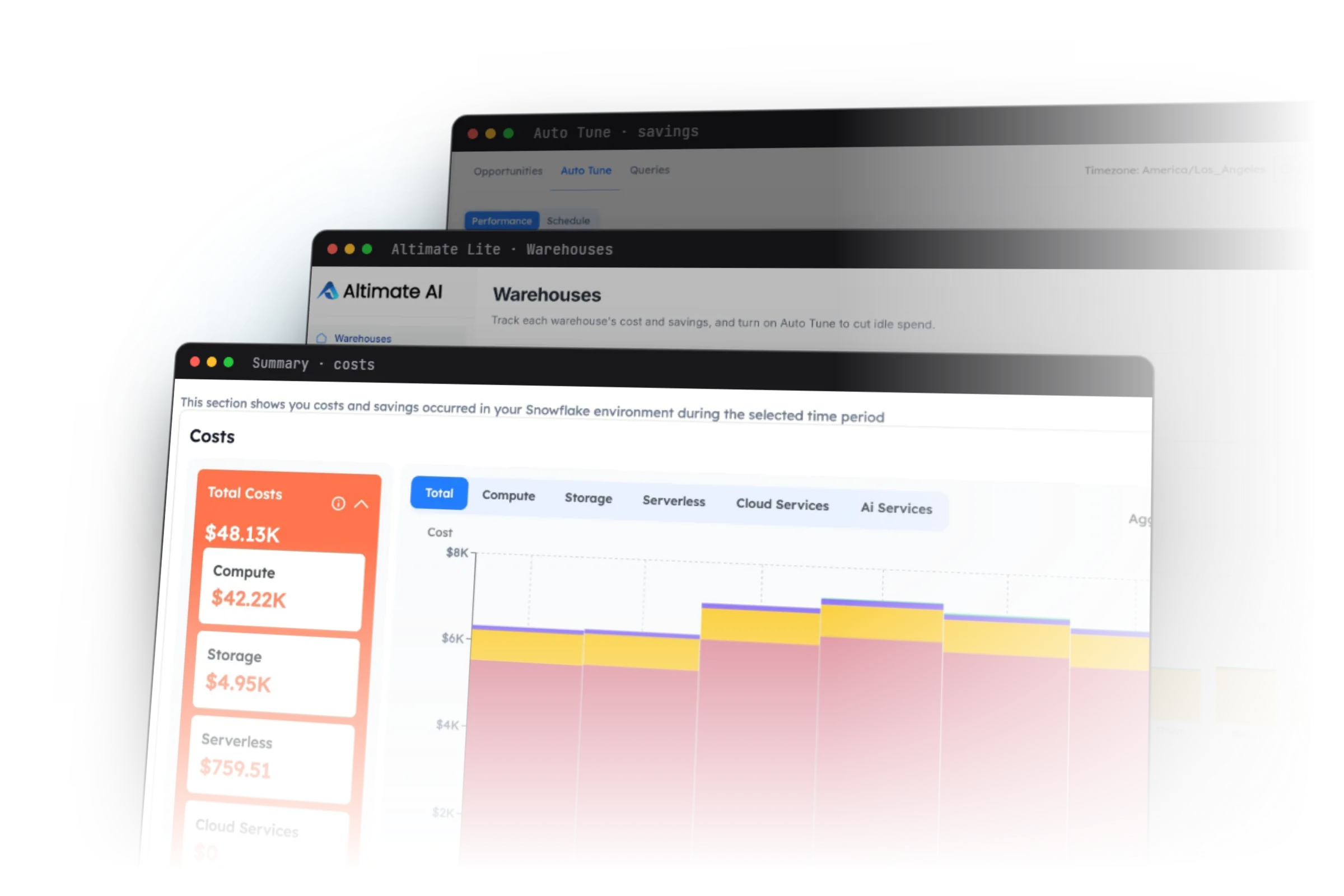
5. Altimate MCP Server for Warehouse and Cost Context
Altimate MCP adds the cost context that catalog and warehouse servers leave out.
- What it is: An official Altimate server. It answers cost questions, and lineage questions that cross from dbt into the warehouse.
- Best for: Teams whose agent must price a query before running it and trace lineage across dbt and the warehouse.
- Key features: It reports which queries drove last week's spend. It also traces lineage across dbt and the warehouse together.
- Pricing: Free to install through the Altimate extension or npm.
- Limits: Altimate's Guardrails classify sensitive fields and set each one to block, mask or allow. A Guardrail decides what data reaches the language model. It has no say over whether the agent may write. A masked email column does nothing to stop an
UPDATEagainst the table that holds it. Write permission stays a decision you make in the role grant. Our Guardrails docs list the block, mask and allow choices.
6. Orchestrator Servers for Airflow and Dagster
An orchestrator server tells you whether a job failed or never ran, which is the first thing you need in an incident.
- What it is: A server that exposes run history, task state and failure logs from Airflow or Dagster.
- Best for: On-call data engineers who want an agent to read pipeline state during an incident.
- Key features: It returns run history and failure logs. It reports state per task rather than only for the pipeline as a whole.
- Pricing: Free and open source where a server exists.
- Limits: Few maintained servers exist in this category. Astronomer archived its Airflow MCP server. The last push to the community replacement was months ago. No first-party Dagster server exists. Writing a small read-only server against your orchestrator's REST API is a reasonable option. You need only three endpoints, which list runs, fetch task instances and return logs.
7. Git and Code-Host Servers
A git server lets an agent read a model's history, which is often the only record of why a filter exists.
- What it is: A server that exposes git history, so
git logandgit blamework from the agent. - Best for: Teams where a
WHERE country != 'XX'clause looks like a bug until the commit message names the source system that used to emitXXfor missing country data. - Key features: It exposes
git log,git blameand file history. It installs withuvx mcp-server-git. - Pricing: Free and open source.
- Limits: The MCP steering group archived its GitHub reference server, so that package receives no patches. Take GitHub's own server instead.
8. Documentation and Knowledge-Base Servers
A knowledge-base server gives an agent the write-ups nobody would paste into a prompt.
- What it is: A server that reads Confluence, Notion or an internal wiki.
- Best for: Teams whose context lives in write-ups. One incident note explains why the fact table is one row per line.
- Key features: It searches and reads pages from Confluence, Notion or a wiki, so an agent pulls a write-up instead of guessing.
- Pricing: Free to install. It reads a knowledge base you already pay for.
- Limits: A knowledge base holding three competing definitions of active user gives an agent three confident answers. The agent cannot tell which one the finance team uses.
9. Ticketing Servers for Jira and Linear
A ticketing server turns a problem an agent found into a tracked issue somebody owns.
- What it is: A server that files and reads issues in Jira or Linear.
- Best for: Teams whose agent files a problem with the query text, cost and affected models attached.
- Key features: It creates issues and reads existing ones, so an agent can check what is already filed before it files another.
- Pricing: Free to install. It reads a tracker you already pay for.
- Limits: Keep the write permission narrow, and allow create before you allow close. Creating a ticket is reversible. Closing a ticket asserts that the problem is gone. That is a judgment an agent should not make alone.
10. Filesystem and Local Servers
A filesystem server lets an agent read and write project files under the directories you name on the command line.
- What it is: The reference server that reads and writes files under directories you name.
- Best for: Any editor agent that needs project files. Scope it to one directory, which is the simplest form of least privilege.
- Key features: The allowed directories are positional arguments on the command line. The scope is visible in the command you ran, instead of in a settings file edited long ago. A path outside those directories returns an access error. A symlink inside the tree that points outside the tree returns the same error.
- Pricing: Free and open source.
- Limits: Write access is on inside those directories, so the agent can overwrite a project file. Widen the scope only when somebody decides to, never by default.
# the reference filesystem server, scoped to one project directory
npx -y @modelcontextprotocol/server-filesystem ~/projects/analytics
Official Servers Arrived in 2026 as Reference Servers Were Archived
Every server in this list started as a community project, and most 2025 tutorials still describe them that way. Since then, vendors shipped official servers of their own. dbt Labs shipped its own MCP server alongside the Fusion engine, so that server tracks dbt's object model directly.
The MCP steering group went the other way and archived thirteen of its reference servers. For anything outside its maintained list, the reference repository now points you at the MCP Registry. An archived server keeps working on the day it is archived. It stops working the day the upstream API changes, because nobody ships the fix. Until that day nothing warns you that the server is unmaintained.
| Reference server | Status in 2026 | Maintained version |
|---|---|---|
| Filesystem | active | @modelcontextprotocol/server-filesystem |
| Git | active | mcp-server-git |
| Fetch, Memory, Time, Sequential Thinking | active | the reference repo |
| PostgreSQL, SQLite, Redis | archived | your platform vendor, or the MCP Registry |
| GitHub, GitLab | archived | the code host's own server |
| Slack | archived | Zencoder took it over |
| Sentry, Google Drive, Google Maps, Puppeteer | archived | the MCP Registry |
Before you swap to a vendor's official server, confirm it exposes the tools your agents call. Then check whether it assumes a paid tier, because several official servers authenticate against a platform account that your open-source users do not have.
An official badge means the vendor wrote the code. It says nothing about how you configured that code. An official server left on default settings still hands the agent its write tools.
The Security Questions to Ask Before You Install a Server
Every server here is a set of capabilities you hand to an agent that acts on its own. Three questions decide the risk.
- What can this write? A read-only server sits in a different risk class from one that executes SQL or triggers a pipeline.
- Whose credentials does it use? A server that runs under an admin role gives the agent admin rights. The task the agent was given does not narrow those rights.
- What gets logged? If you cannot reconstruct what the agent did, you cannot debug it or defend it.
The MCP spec settles part of this for you, in three places. The first is the tool annotation. A tool annotation is a label a server attaches to its own tool, such as a flag that says the tool only reads. The spec says a client MUST treat those annotations as untrusted unless they come from a server the client already trusts. So a tool that labels itself read-only has proved nothing, because the same server wrote both the tool and the label.
The second is token passthrough. Token passthrough means the server takes the credential the client sent and forwards it unchanged to the downstream service, such as your warehouse. The spec names that an anti-pattern. It is the credentials question above answered the wrong way, because the agent then acts with whatever the forwarded credential can do. The third is the human in the loop. The spec says there SHOULD always be a human who can deny a tool call before it runs.
In July 2025 a Replit AI coding agent deleted a production database during an active code freeze. The agent held standing privileges on the production database. The code freeze was a verbal instruction, with no technical control behind it. The tool worked exactly as configured.
| Server type | The write tool to watch | Sensible default |
|---|---|---|
| Warehouse | none, until you add one | read-only, non-prod role |
| Transformation | run models | read-only to start |
| Catalog and lineage | update metadata | read-only |
| Orchestrator | trigger runs | read-only |
| Git | commit | read-only |
| Ticketing | create issues | create only |
| Filesystem | write files | scoped to one directory |
Create a dedicated role before you install anything, because a server borrowing your personal credentials inherits every grant you hold. That usually includes production write access somebody gave you during a past incident and never revoked. Start with a role that can read one non-production schema and nothing else, and use it for the first week. A dev schema carries the same table and column names, so the agent learns the same schema. A wrong write there damages a dev table instead of a production one.
Turn write tools off explicitly rather than assuming they are off. Snowflake Labs' retired self-hosted server ships them on. Its sample configuration sets Delete, Drop, TruncateTable and Update to True, leaving only Unknown at False. Copying that sample configuration lets your agent drop a table. A hardened configuration refuses every destructive statement type:
# Snowflake MCP service configuration, destructive statements refused
other_services:
  object_manager: false      # no CREATE, ALTER or DROP against objects
  query_manager: true        # the agent may still run a SELECT
  semantic_manager: true
sql_statement_permissions:
  - Select: true
  - Describe: true
  - Delete: false
  - Drop: false
  - TruncateTable: false
  - Update: false
  - Unknown: false           # anything sqlglot cannot classify is refused
Each key under sql_statement_permissions is an expression type from the SQL parser sqlglot. The server parses every statement the agent sends, classifies it, and refuses any type you set to false. The Unknown: false entry refuses any statement sqlglot cannot classify.
Then watch which tools the agent actually calls for a week. Install the tool the agent tries to call and cannot find. Remove the tools that never fire.
Logging is the third question, and the MCP spec leaves it to you. It defines no audit trail, so record the tool name, the arguments and the calling identity for every call. Without that record you cannot say what the agent did last Tuesday.
How to Pick the Best MCP Servers for Data Engineering
Add a warehouse server first, read-only, on a non-production role. Add a transformation server second for the dependency graph. Then stop and watch for a week before you install anything else from this list. Every server you add is a surface somebody has to review.
Check the maintenance status of anything a tutorial recommends. Checking the archive banner and the last commit date catches the archived PostgreSQL server that 2025 tutorials still name.
Nine agentic data engineering tools for VS Code covers the tools that consume these servers. Nine signs your data platform needs an agent-first overhaul covers the platform-level picture.
Open the config of an MCP server you already run and read its write tools. If you cannot say why each one is on, turn it off.
Frequently Asked Questions
Model Context Protocol is a standard interface that lets an AI agent call tools on an external system instead of guessing what it holds.
Install a warehouse server first, read-only, under a non-production role. That removes the guessed-column failure, which is the most common way agent-written SQL breaks. Add a dbt or transformation server next, for the dependency graph.
The MCP steering group archived its reference PostgreSQL, SQLite, Redis, GitHub, GitLab, Slack and Sentry servers. Configuration examples in that repository still name some of them. Filesystem and Git stay active. For anything else, take the vendor's own server or a project on the MCP Registry.
Yes. The spec defines two transports, stdio and Streamable HTTP, and any compatible client calls any compliant server over one of them.
It should never execute arbitrary SQL against production, as an admin role, with no logging. Each of those three is survivable alone. The combination of all three is how incidents happen.