Nine agentic data engineering tools for VS Code follow, scored on four criteria: warehouse schema, the dbt DAG, query cost and license. Most general coding assistants score zero on the first three, because they read your repository well and never open your warehouse. Nothing that writes code covers all four, so most working setups pair a general assistant with a data layer.
The published ADE-Bench scores help you narrow the field, not pick from it. Altimate Code posts 74.4% in our own unaudited run and Snowflake reports 65% for Cortex Code CLI, but the two come from separate experiments, and most published figures do not compare directly. So treat a score as a starting signal and settle it with a short trial on your own work, where the number that matters is how often you had to correct a column the tool guessed wrong, not the minutes it saved.
You open a .sql file in VS Code and the assistant autocompletes a column name. The name came from your other models, and nothing checked it against the warehouse. Most AI coding extensions were built for application developers. They read your programming language well and know nothing about the tables your queries run against.
The gap between the language and the tables decides whether a tool saves you time or hands you a query that returns the wrong number. Four criteria rank these nine agentic data engineering tools for VS Code: live warehouse schema, dbt dependency-graph awareness, query cost visibility, and license. Each entry says:
- what the tool is,
- who it fits,
- what it costs, and
- where it falls short.
Four criteria separate a data tool from a coding assistant that also opens .sql files.
How to Score Agentic Data Engineering Tools for VS Code
Four criteria rank the tools, listed from the most expensive miss to the cheapest.
- Warehouse context. Does the tool read live schema when it writes SQL, or guess from the open file?
- dbt DAG awareness. The DAG is the dependency graph between your dbt models. Does the tool know what sits downstream of the model you are editing?
- Cost visibility. Can the tool price a query before you run it?
- License. Your security team accepts or rejects the tool on its license: open source, free tier or paid seat.
Warehouse context is the criterion where a mistake costs money. A misspelled column name fails at compile time, so you find it immediately. A column name that exists and is the wrong one runs, and the query returns a wrong number with no error.
Worked example. Your source table carries both customer_id and cust_id, and only cust_id joins to the orders feed.
- A tool completing from the open file writes
customer_id, because every other model uses it. - The query compiles and runs, because
customer_idis a real column. - The join returns a third of the rows, so the report undercounts and nothing flags it.
A tool can score zero on three of the four criteria and still be a good tool. The criteria measure what context a tool can see. They say nothing about how well it writes code.
1. Altimate Code
- What it is. A CLI and VS Code extension built to check SQL rather than to generate it. It lints and reviews what you or an agent wrote.
- Best for. Teams who spend more time proving a change is safe than writing it, on any warehouse.
- Key features. The SQL lint at 0.48 ms per query is fast enough to run on every keystroke rather than on save. Its 19 anti-pattern rules hold 100% accuracy across 1,077 benchmark queries, with zero false positives. It ships 21 skills. A skill is a workflow playbook the agent loads when the task calls for it, and the 21 cover SQL review, lineage diff, PII audits and dialect translation.
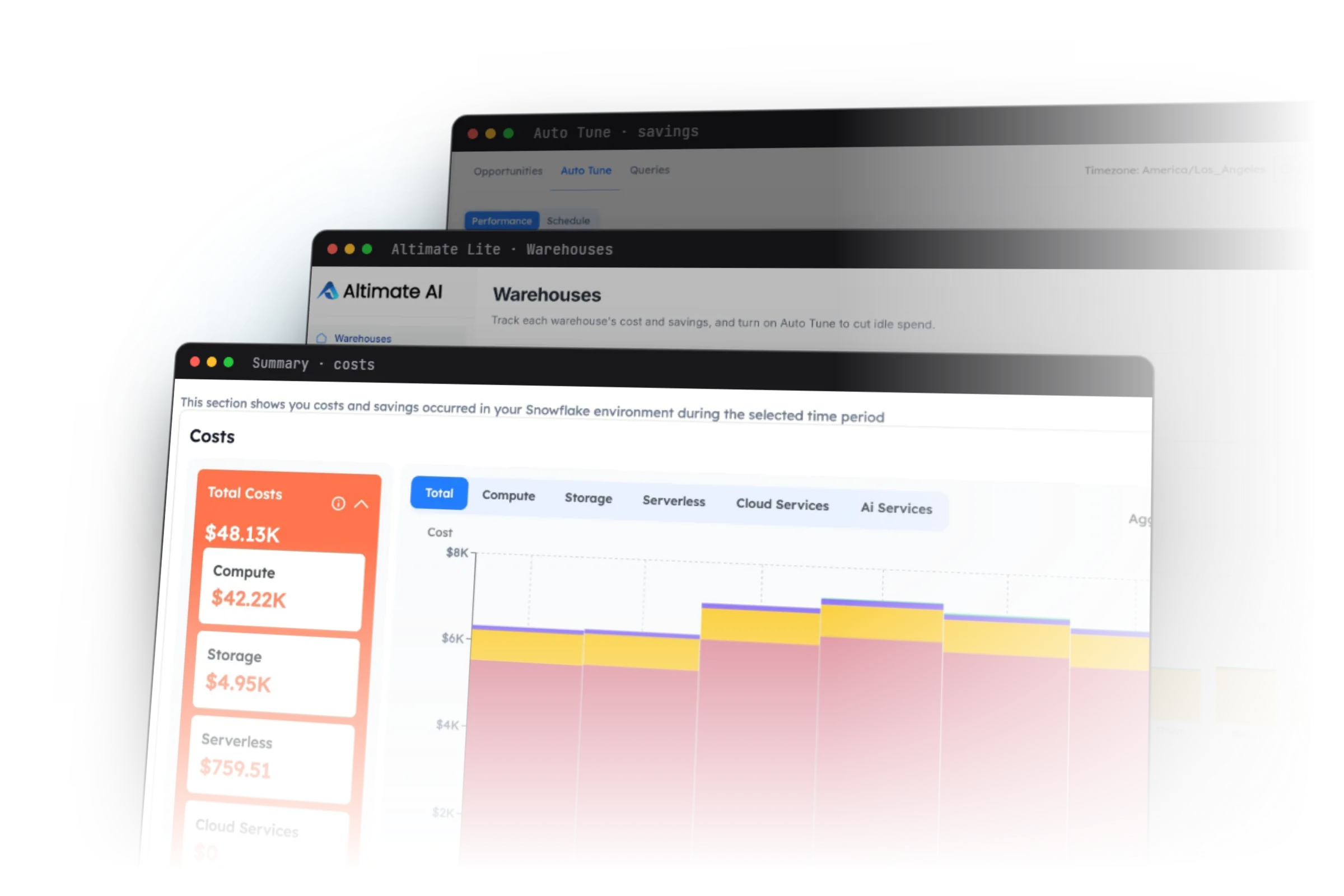
- In the editor. One way to reach these capabilities in VS Code is Power User for dbt, Altimate's extension for dbt projects. It has 1M+ installs. It reads the DAG from the manifest that dbt compiles, and it adds compiled SQL preview, click-to-run for one model, and column-level lineage in the editor. The lineage panel draws from the last compile, so recompile after an edit before you trust it.
- Pricing. Open source under MIT. A free Community tier grants 1 million tokens once. Pro is $29 per seat per month with 20 million tokens included, then $5 per million after that. Power User for dbt is free.
- Limits. It reviews and lints SQL. It does not write your next model from a Jira ticket. Most of its skills assume a dbt project, so a repository of plain
.sqlfiles gets the lint and not the dbt-specific skills.
One column at the cursor resolves to three named downstream models, in the Power User for dbt lineage panel.
ADE-Bench is an agentic data-engineering benchmark that scores an agent pass or fail on a fixed set of tasks. Altimate Code scores 74.4% on ADE-Bench with 32 of 43 tasks. We ran that benchmark ourselves, on Sonnet 4.6 against Snowflake, and nobody outside Altimate has checked the run. Read the method on our benchmarks page.
2. GitHub Copilot
- What it is. GitHub Copilot has the widest reach of the nine tools on this list. It also knows the least about your data.
- Best for. Boilerplate SQL and Jinja macros. On a long
case whenladder the next branch is predictable, so inline completion saves minutes. - Key features. It completes inline from the open file and the repository, across every language in your project.
- Pricing. A paid seat per user. Check GitHub's pricing page for the current rate.
- Limits. It completes from your files, so a column name it offers is one your other files use, and nothing checks that name against the warehouse. Pair it with a tool that reads live schema.
3. Cline
- What it is. An open-source agent extension that runs multi-step tasks inside VS Code and asks permission before each action.
- Best for. Agent work that touches a warehouse. Every command pauses for your approval, which slows the agent down and stops it from running a command you never reviewed.
- Key features. It adds a human-in-the-loop approval step to every file write and command. Beyond that, what Cline can do depends on the Model Context Protocol (MCP) servers you connect. MCP is the open protocol an agent uses to call outside tools, and an MCP server is one such tool. A warehouse MCP server gives Cline live schema, and the dbt MCP server gives it the dependency graph.
- Pricing. Open source and free. You pay only for the model API it calls.
- Limits. Cline ships with no warehouse knowledge of its own. With no MCP server connected it is a general coding agent with a terminal, and its SQL is guessed from your files like Copilot's.
4. Continue.Dev
- What it is. An open-source assistant extension whose main appeal is model choice, including a model you host yourself.
- Best for. Teams that cannot send code to a third-party API, such as healthcare and defense.
- Key features. Point it at any model, local or hosted.
- Pricing. Open source and free.
- Limits. It knows nothing about your warehouse. Pair it with a self-hosted MCP server that connects on a read-only warehouse role. The agent then reads live schema, and no token leaves your network, because the model and the server both run inside it.
5. Snowflake Cortex Code CLI
- What it is. Snowflake's own agent. It is the only tool on this list that runs inside the warehouse, so it starts with your schema, your query history and your role grants already loaded.
- Best for. Teams whose data all sits in one Snowflake account and who want no context setup.
- Key features. It has native access to Snowflake schema, query history and grants, with nothing to connect or keep in sync.
- Pricing. It bills against Snowflake credits, so it has no seat price.
- Limits. Its context ends at the Snowflake account boundary. If a Databricks job feeds a Snowflake mart, the agent sees the mart and none of the job that built it. It has no way to know the upstream half exists, so it cannot warn you that its answer is incomplete.
Its ADE-Bench result is 65%, at 28 of 43 tasks, sourced to Snowflake's own blog. Snowflake ran Claude Code on the same 43 tasks, and it finished 25. Both agents ran on Claude Opus 4.6, so the model does not explain the three-task gap. The one difference left is the warehouse context Cortex Code starts with.
6. dbt MCP Server
- What it is. An MCP server from dbt Labs that gives any MCP-capable agent your dbt project graph.
- Best for. Any MCP-capable extension that needs dbt DAG awareness without a purchase.
- Key features. Its tools expose the model graph, compiled SQL and test results. Run it yourself with
uvx dbt-mcp, or reach the remote server over HTTP on the dbt platform. - Pricing. It is free to self-host under Apache 2.0.
- Limits. Your dbt account has a quota of dbt Copilot actions. When the account runs out, the remote server blocks every tool that runs through it. A self-hosted server that forwards some calls to the remote one loses those calls too.
dbt Labs ran ADE-Bench with third-party models under two dbt setups. dbt Core alone passed 50% of the tests in those runs, and dbt Core plus the MCP server passed 54%.
7. dbt Labs VS Code Extension
- What it is. dbt Labs now ships its own VS Code extension, and it is the only officially supported one. It shipped on 27 May 2025. It runs on the dbt Fusion engine, which is dbt Labs' rewrite of the dbt engine in Rust.
- Best for. dbt teams that want the editor to understand their SQL.
- Key features. dbt Core treats a model as a Jinja template and renders it into a string of SQL. Fusion parses the SQL itself, so it can check a column reference against the model upstream. Reference a column that does not exist upstream, and the extension underlines it while you type. dbt Labs reports up to 30x faster parsing and 2x quicker full-project compilation, so a parse that took a minute finishes in two seconds.
- Pricing. Free, but you have to run Fusion, which is a separate free binary with proprietary parts. dbt Core v2.0, the Apache 2.0 release of the Rust engine, reached first alpha on 1 June 2026.
- Limits. It is not an agent, so it writes no code. dbt Labs does not support the extension on dbt Core, so a team on dbt Core has to move to Fusion first.
Power User for dbt and the dbt Labs extension both show compiled SQL, which is never quite what you wrote.
8. SQLTools and Database Clients
- What it is. These are database client extensions rather than agents. They connect VS Code straight to the warehouse, so the live schema sits in a panel beside your file.
- Best for. Teams that keep a general coding assistant and want to close its schema gap by hand.
- Key features. You read the column name off the schema tree and paste it into the prompt, so the assistant no longer has to guess it. They run on your machine, so they clear security review in locked-down environments.
- Pricing. Free.
- Limits. They show you the live schema and nothing about the dbt DAG or query cost.
9. Notebook Extensions
- What it is. Jupyter and SQL notebook extensions that cover the exploratory half of data work.
- Best for. Ad-hoc investigation. Most data work starts as a question, and the question gets asked in a notebook long before any line reaches a dbt file.
- Key features. They run interactive SQL and Python against the warehouse. A wrong assumption usually starts in an exploratory query, before any model is committed. An assistant that reads only your committed models never sees that query, and an assistant with the notebook open does.
- Pricing. Free.
- Limits. They show you nothing about the dbt DAG or query cost. A notebook stops at the exploratory query, and every other tool on this list starts there.
How the Nine Tools Compare
| Tool | Warehouse | dbt DAG | Cost | License |
|---|---|---|---|---|
| Altimate Code | ✓ | ✓ | ✓ | open source, MIT |
| GitHub Copilot | ✗ | ✗ | ✗ | paid seat |
| Cline | ≈ via MCP | ✗ | ✗ | open source |
| Continue.dev | ≈ via MCP | ✗ | ✗ | open source |
| Cortex Code CLI | ≈ Snowflake only | ≈ partial | ≈ Snowflake only | Snowflake account |
| dbt MCP server | ✗ | ✓ | ✗ | Apache 2.0 |
| dbt Labs extension | ≈ via Fusion | ✓ | ≈ partial | free, Fusion required |
| SQLTools and clients | ≈ manual | ✗ | ✗ | free |
| Notebook extensions | ≈ manual | ✗ | ✗ | free |
Only Altimate Code scores on all four criteria, and it writes no code, so a complete setup still pairs a writing assistant with a data layer.
The published ADE-Bench figures come from three separate experiments rather than one leaderboard. A row compares cleanly only with another row from the same experiment.
| Agent or configuration | Model | Pass rate | Source |
|---|---|---|---|
| Altimate Code on Snowflake | Sonnet 4.6 | 74.4%, 32 of 43 | us, unaudited |
| Snowflake Cortex Code CLI | Opus 4.6 | 65%, 28 of 43 | Snowflake |
| Claude Code on Snowflake | Opus 4.6 | 58%, 25 of 43 | Snowflake |
| Codex | GPT-5.1 | 56% | dbt Labs |
| dbt Core plus the dbt MCP server | not stated | 54% | dbt Labs |
| dbt Core alone | not stated | 50% | dbt Labs |
| Claude Haiku 3 | Haiku 3 | 10% | dbt Labs |
Two pairs in the table isolate one change each. Snowflake's two rows share a model and a platform, so the three-task gap between them comes from the agent. The two dbt Core rows come from one dbt Labs experiment and differ only by the MCP server, so the four points between them are what the server added.
Our row carries no independent check. The Codex and Claude Haiku 3 rows change the model and the configuration at once, so neither compares with any other row.
How to Run a Two-Week Trial
Run a two-week trial on your own work before you pick from this list. Pick three tasks you do monthly.
- Build a new staging model on a source nobody has modeled yet.
- Change a model that half the project depends on.
- Investigate a query somebody says is slow.
Run each twice, with the tool and without. Log the wall-clock time, then count how often you corrected something the tool claimed. The correction count matters more than the time saved. A tool that saves ten minutes and invents one wrong column name costs you more than it saved, because somebody has to find that column name in review.
Then ask the tool three questions about a project it has never seen.
- Name the schema of a table nobody has touched in a year.
- List what depends on a model buried in the middle of the DAG.
- Price this query before it runs.
A tool that reads live schema answers all three questions. A tool completing from your repository invents all three answers. A tool that fails visibly costs you a retry. A tool that returns a wrong answer with no error costs a reviewer the time to find it.
How Most Teams Combine These Tools
Two arrangements cover the working setups. The first is a general assistant with a data layer underneath, where the data layer is whatever supplies the warehouse schema and the dbt DAG. Keep Copilot or Cline for writing speed and add Altimate Code, which supplies the live schema, the DAG and the checks. You replace nothing, and the two pieces together cover all four criteria.
The second arrangement is a warehouse-native agent, and it works only for a team on one platform. The agent's context stops at the platform boundary, and in exchange that context costs nothing to set up. On an all-Snowflake team Cortex Code is a reasonable default, until somebody stands up a second warehouse.
The MCP servers worth knowing about covers the context layer. Ask the tool you already run for the schema of a table nobody touched this year. The answer tells you whether it reads live schema or guesses from your open files.
Frequently Asked Questions
The difference is warehouse context and dependency-graph awareness. A general assistant completes from the files in your repository. The column names it offers are the ones your other files use, and nothing checks them against the warehouse. A data tool reads the live schema, so its column names are checked. It also reads the dbt DAG, so it knows which models break downstream when you change one.
It works well as a typing accelerator for boilerplate SQL and Jinja macros. It does not know your schema, so treat every column name it offers as a guess.
Most of this list assumes dbt. SQLTools plus a general assistant gives you live schema with no dbt project. Altimate Code's SQL lint runs on plain .sql files, so the anti-pattern checks work without dbt too.
The dbt Labs extension is free, and so is Power User for dbt. Altimate Code is open source under MIT, the dbt MCP server carries Apache 2.0, and Cline and Continue.dev are open source too.
It is a useful signal and a narrow one. A higher score means the agent finishes more of a fixed task set. It says nothing about your stack, your license rules, or your editor.