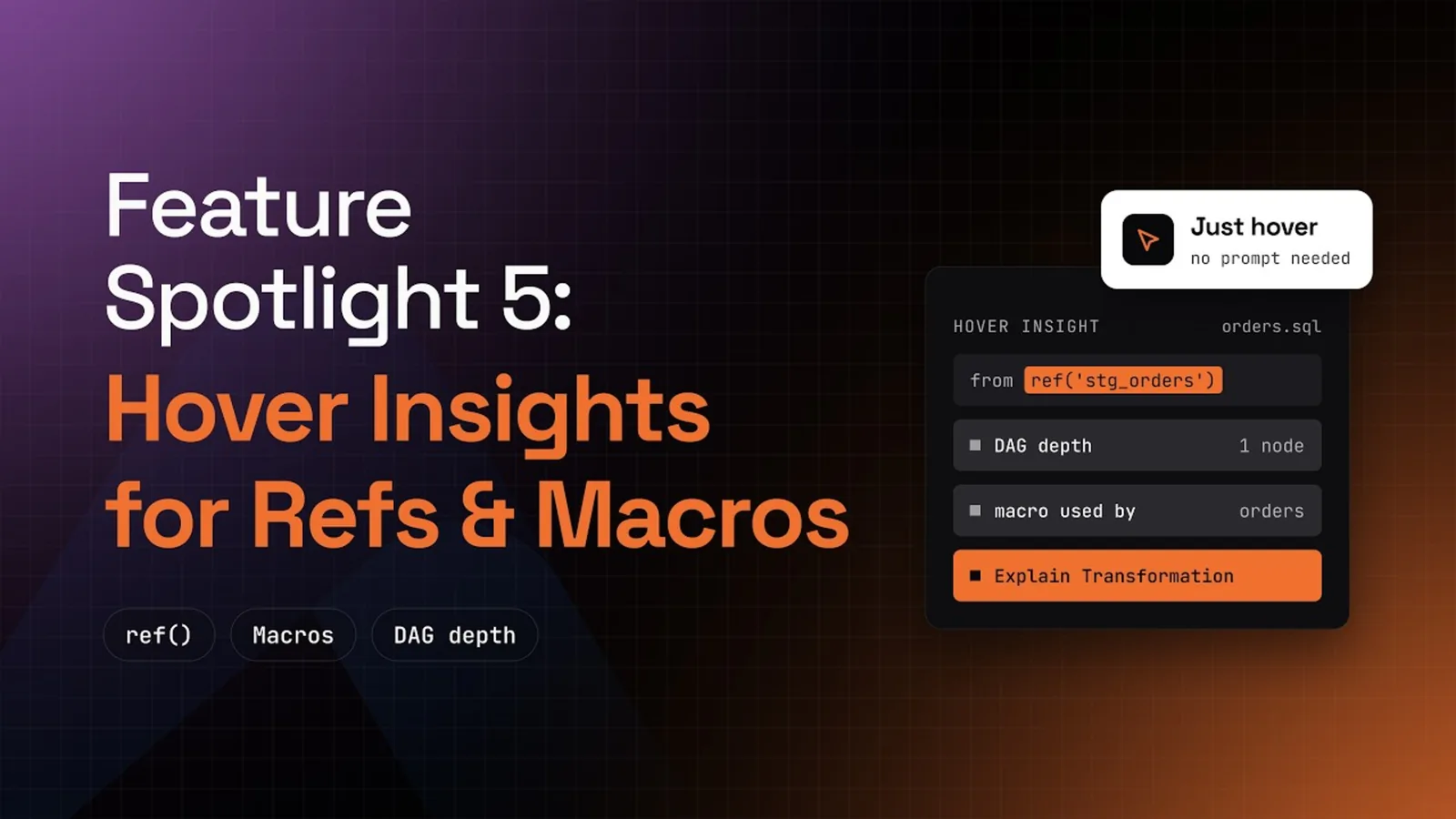
- What it is. Hover cards on every
ref()and macro call in a dbt model, from the PowerUser Plugin for dbt. Each card carries an Altimate Code action, which needs a free Altimate API key. - Who it is for. Analytics engineers who join a team, inherit a long dbt model or review a pull request full of Jinja.
- What you get. The depth and columns behind each
ref(), the models that use each macro, and an explanation one click away.
Long dbt models mix SQL with ref() calls and macros. The compiled SQL shows the result of the Jinja, but it hides where each piece came from. Before you change either one, you need two answers. What does the referenced model contain, and what does the macro do? Hover cards answer both inside the file you are reading.
Hover Over a Model Reference to See Depth and Columns
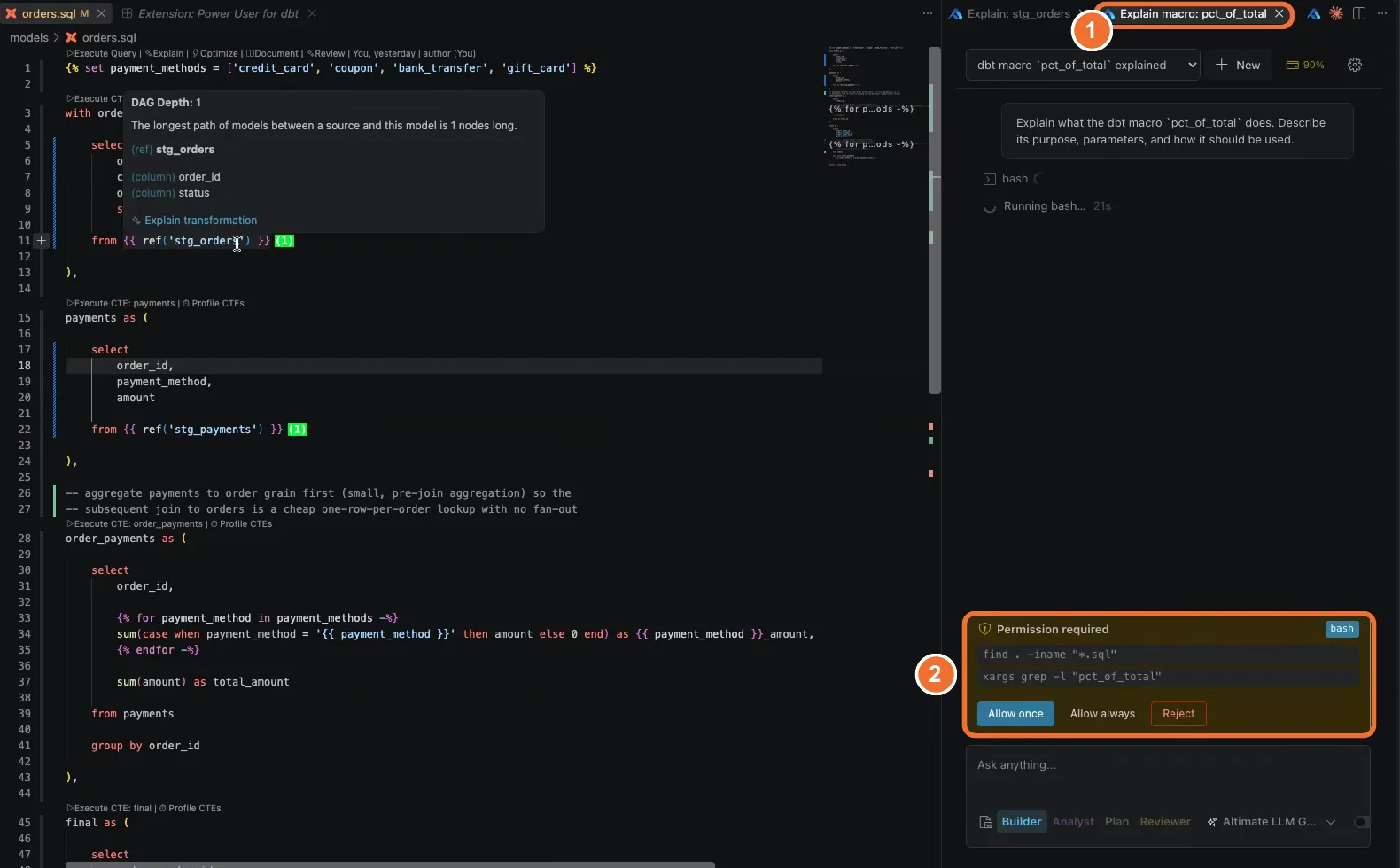
Hover over any ref() and a card appears. On ref('stg_orders') it reads DAG Depth 1, which means the longest path from a source to that model is one node. So stg_orders is a staging model that reads straight from a source. The card also lists the columns this model pulls from it, here order_id and status.
Use the depth to judge how far a change travels. A staging model at depth 1 feeds every model built on top of it. A high depth means many layers sit underneath. A wrong number there may start far upstream.
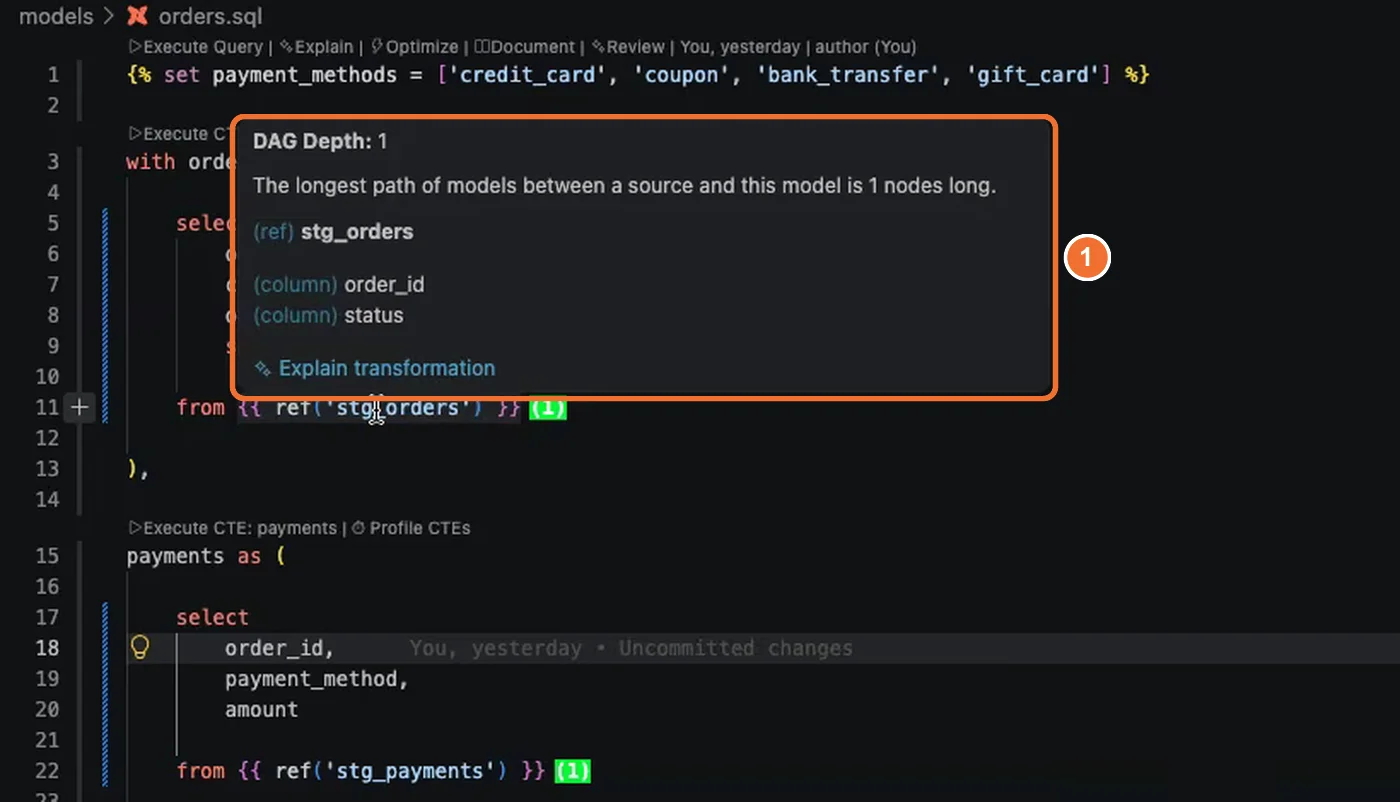
Click Explain transformation on the card. Altimate Code walks through what the referenced model selects, filters, joins and aggregates, step by step.
Hover Over a Macro to See Which Models Use It
Hover over a macro call and the card names the macro and the models that reference it. In the demo, pct_of_total is used only by orders. Two actions sit on the card: Explain what this macro does and Find risky usages. The second action checks every call for:
- Missing arguments.
- Wrong argument types.
- Edge cases the macro does not handle.
- Anti-patterns in how the macro is called.
Run it before you change a macro that several models share. A macro used by one model is cheap to change. A macro used by twenty models needs a plan.
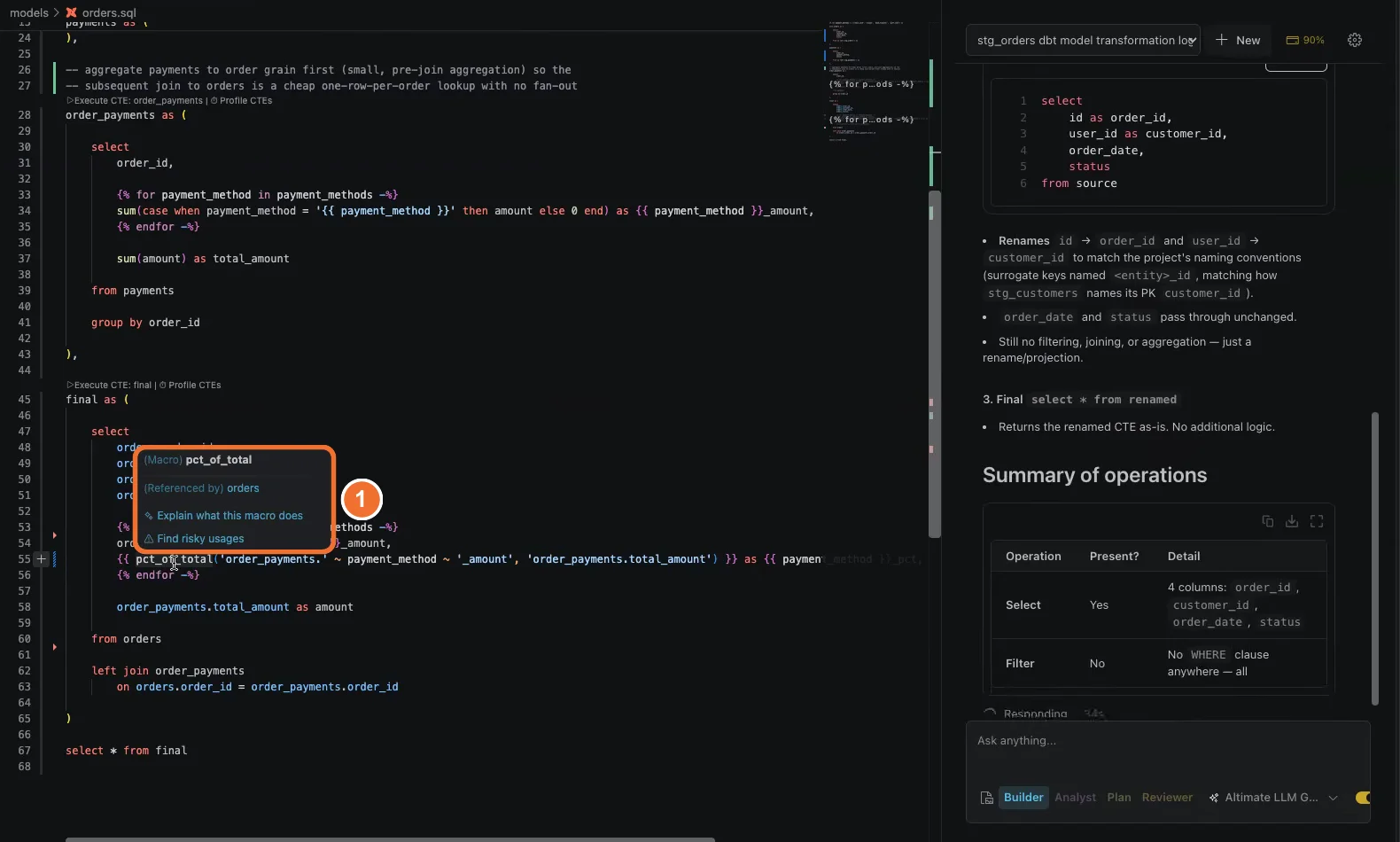
Go From the Whole Model Down to One Dependency
Each action opens its own Altimate Code session, so one chat explains the model and another explains a macro. Altimate Code asks before it runs a shell command, such as a search for every file that calls the macro. You approve it once, always or not at all. Start with the whole model, then open a second session for the one macro you do not trust.
The hover actions guide lists every action on each card.
Install the dbt VS Code extension
Frequently Asked Questions
It is the longest path of models between a source and the model you referenced. A depth of 1 means one hop from a source, which usually marks a staging model. A higher number tells you how many layers of models sit underneath.
Two actions. Explain what this macro does covers its purpose, parameters and usage. Find risky usages checks every call to the macro for missing arguments, wrong types, edge cases and anti-patterns.
Yes, for the full query the warehouse runs. The PowerUser Plugin for dbt shows it with one click, as the compiled SQL guide explains. Hover cards answer a narrower question about one ref() or one macro, without reading the whole compiled file.
The Altimate Code actions on the card need a free Altimate API key and the Datamates extension, which installs with the PowerUser Plugin for dbt. The chat runs on your own model provider key or on the Altimate LLM Gateway.
It asks first. When an explanation needs a shell command, such as searching your project for calls to the macro, a Permission required card appears. You choose Allow once, Allow always or Reject.
Yes. Hover over a column's name value in schema.yml and two more actions appear: Suggest description and Suggest tests. Both feed the documentation flow in the extension.
Yes. The PowerUser Plugin for dbt installs in Cursor from Open VSX. The hover cards on every ref() and macro call appear the same way as in VS Code.