- What it is. The Documentation Editor in the PowerUser Plugin for dbt, where you write docs, add data tests and now add model-level unit tests. The AI drafts need a free Altimate API key.
- Who it is for. Analytics engineers who know a model needs tests and docs, and never find the hour to write the YAML.
- What you get. Unit test scenarios with full input and expected-output YAML, written to your schema file only after you pick one.
Data tests check the rows in a table. They catch a null or a duplicate key after the model builds. They cannot prove that the logic behind the table is right. A dbt unit test does that. You give the model fixed input rows and state the exact output you expect.
| Data test | Unit test | |
|---|---|---|
| Runs | After the model builds | Before the model builds |
| Reads | The rows in the table | Fixed input rows you write |
| Finds | Bad data, such as a null key | Wrong logic, such as a split payment summed twice |
| Example | unique, not_null | test_orders_split_payment |
Open the Documentation Editor From the PowerUser Icon
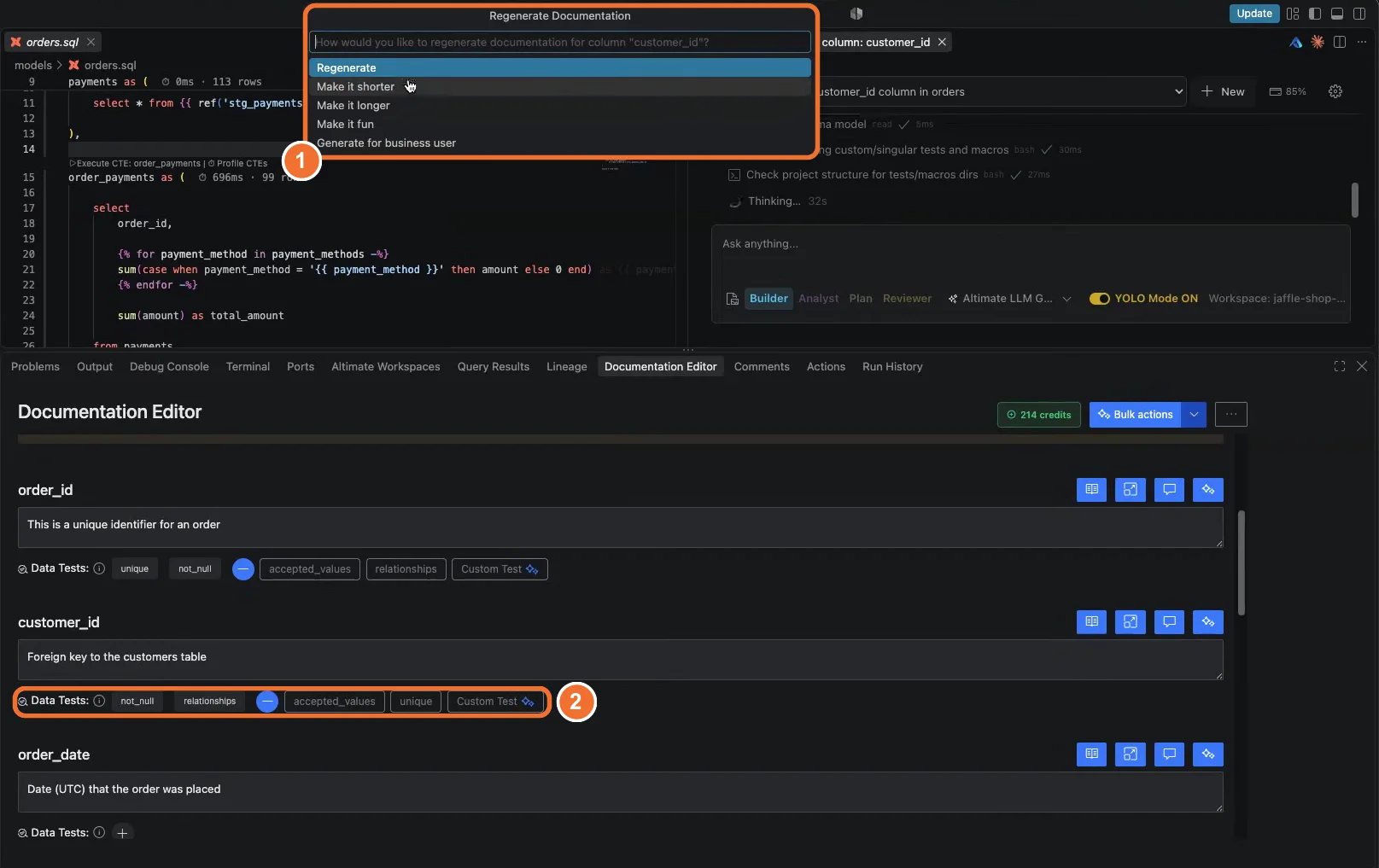
With a model open, click the PowerUser Plugin for dbt icon in the side bar and open the Documentation Editor. It holds the model description, the model's data tests and unit tests, and one row per column. Generate descriptions for the model or for a single column. Then rewrite any description with Regenerate, Make it shorter, Make it longer, Make it fun or Generate for business user.
Add Data Tests in a Few Clicks
Click the plus sign next to a column's data tests to add a generic test. The editor offers four:
unique, so no value repeats in the column.not_null, so every row has a value.accepted_values, so the column holds only the values you type.relationships, so each value exists in another model.
For accepted values, type the allowed values and click Add. For any other rule, click Custom Test. An Altimate Code session writes the test and adds nothing until you approve it. The tests guide lists every generic test the editor supports.
Let Altimate Code Propose Unit Test Scenarios
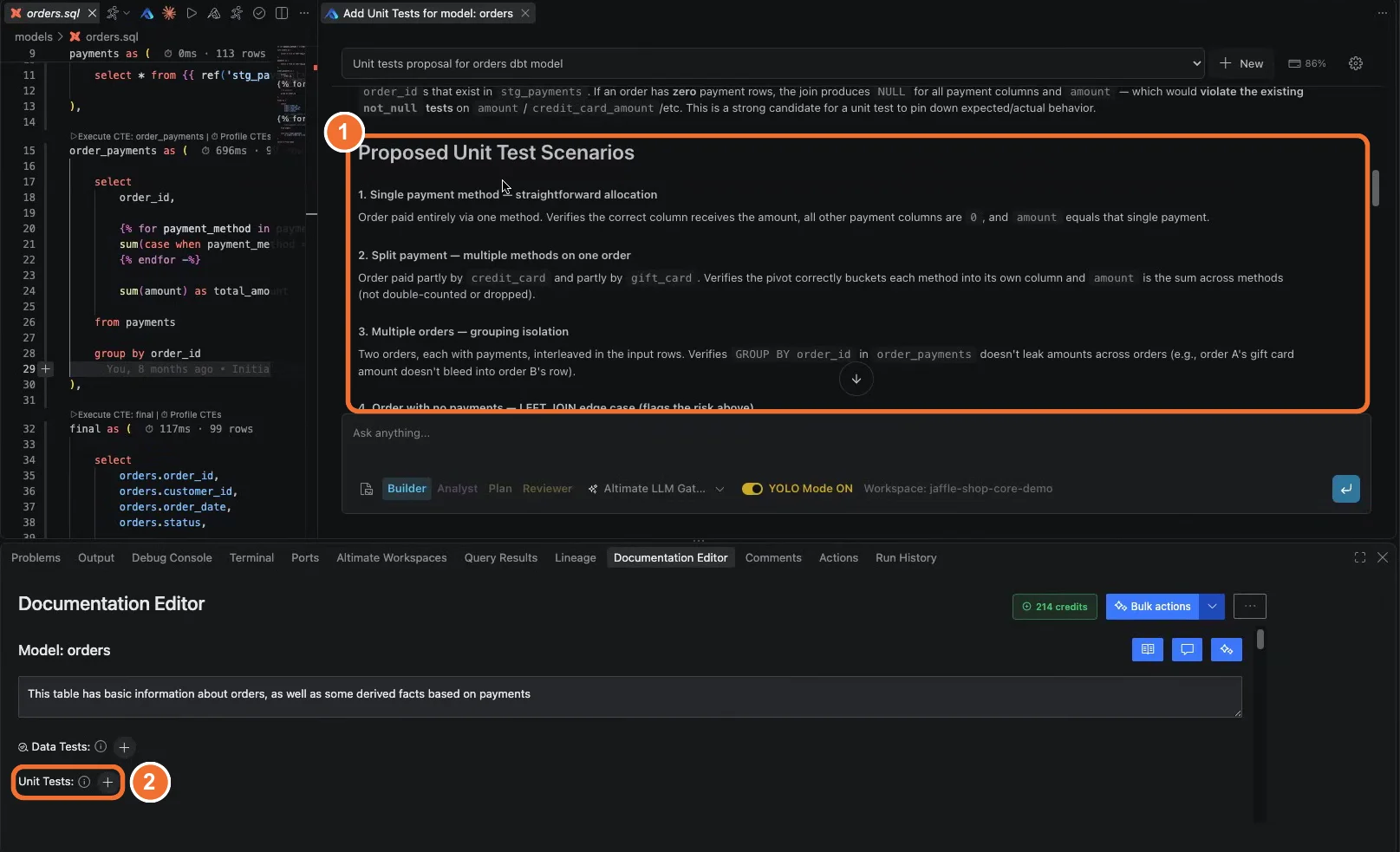
Click the plus sign next to Unit Tests at model level. Altimate Code reads the model and proposes scenarios, each with the full YAML for its inputs and expected output. On the orders model it proposed four:
- A single payment method.
- A split payment across two methods on one order.
- Several orders, to check that grouping keeps them apart.
- An order with no payments, the LEFT JOIN edge case.
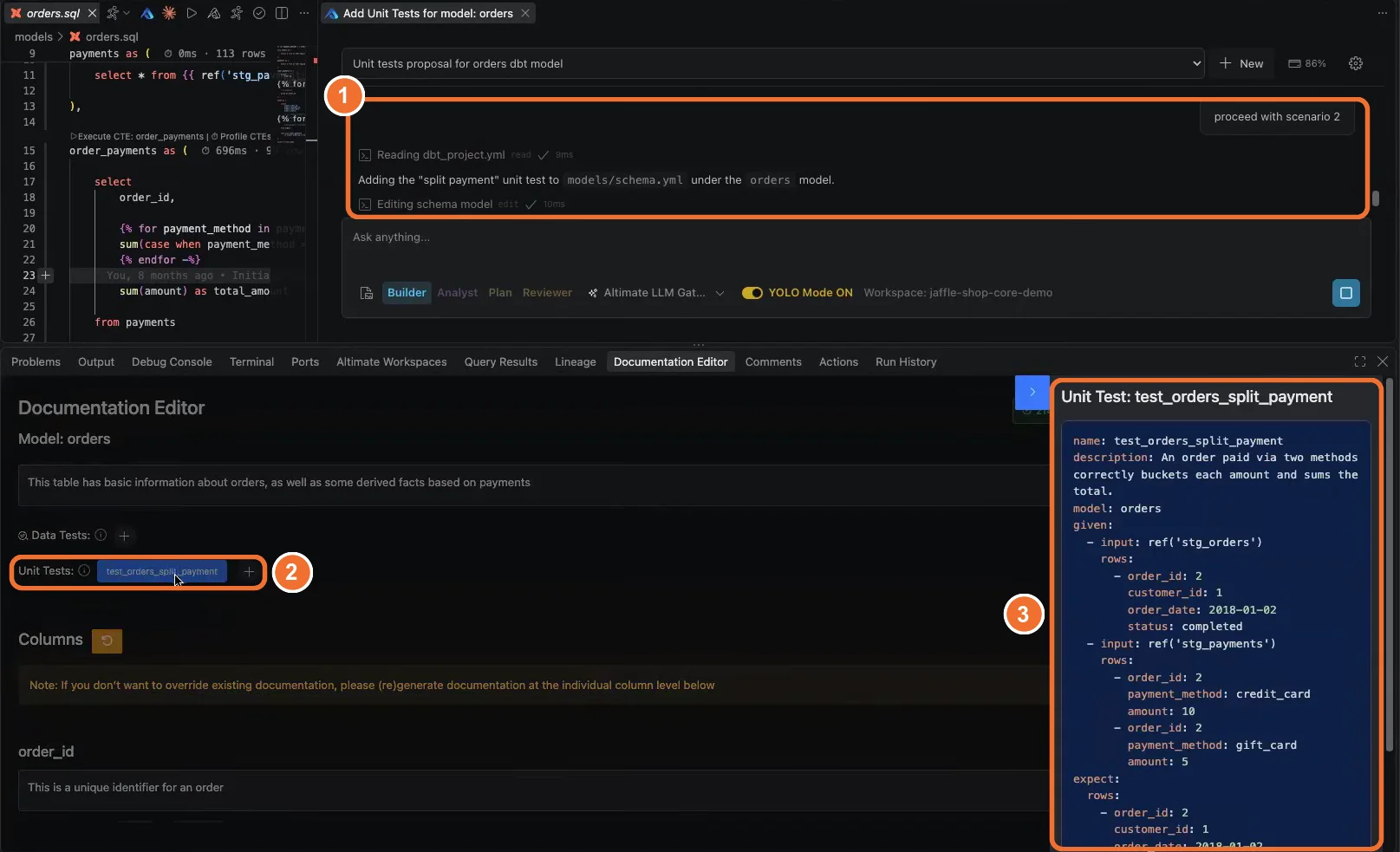
You review the YAML and reply with the scenario you want. Altimate Code adds test_orders_split_payment to models/schema.yml, then runs the models to confirm the test passes. From then on, dbt checks that logic on every run. The unit test then fails if someone changes how the model sums payments. It fails before the change reaches a dashboard.
Need descriptions for every column at once? Use bulk documentation generation.
Install the dbt VS Code extension
Frequently Asked Questions
A data test runs after the model builds and checks the rows in the table, such as no nulls or no duplicate keys. A unit test runs on fixed input rows you provide and compares the model's output to the rows you expect. Data tests find bad data. Unit tests find wrong logic.
dbt added unit tests in version 1.8. The Documentation Editor writes them as standard dbt YAML under the model in your schema file. They run with dbt build like any test you write by hand.
No. It proposes scenarios with full YAML and waits for you to choose one. It edits your schema file only after your reply, then runs the models to confirm the new test passes.
Yes. Click Custom Test on a column and describe the rule you want in plain English. An Altimate Code session writes the test for you and adds nothing to your schema file until you approve it.
Click the generate icon on a description and pick Generate for business user. The other options are Regenerate, Make it shorter, Make it longer and Make it fun.
Yes. Writing descriptions and tests by hand works in the free extension. Generating documentation and tests with AI needs a free Altimate API key, which you add in the extension settings.
Yes. The PowerUser Plugin for dbt installs in Cursor from Open VSX, and the Documentation Editor works the same way there as in VS Code.