
- Pain. Comparing warehouse costs across multiple clouds means opening separate consoles, running separate system-table queries, and reconciling the results by hand, a comparison that lives in one engineer's head and isn't reproducible next month.
- Who it is for. Engineering managers and platform leads accountable for cross-cloud warehouse cost.
- What it is. Altimate MCP runs system-table queries across Snowflake, Databricks, and BigQuery, terminates idle clusters, and stores the patterns that worked in the Memory Hub.
Three Consoles, Three System Tables, One Engineer's Working Memory
A logistics-analytics engineering manager owns the cost line for a stack that splits across Snowflake (the historical analytics warehouse), Databricks (the ML pipelines), and BigQuery (the ad-hoc product analytics). The monthly FinOps review goes like this: open Snowflake's ACCOUNT_USAGE views, write a query to find the top 20 most expensive queries last month. Switch to Databricks, run the cluster utilisation query against the API. Switch to BigQuery, query INFORMATION_SCHEMA.JOBS_BY_PROJECT. Paste the three result sets into a shared Google Sheet. Try to reconcile units. Build a cross-cloud comparison in a fourth tab. Present in the FinOps review.
This is a job that takes the manager a day a month. The day is the same set of mechanical steps every month. Altimate MCP with all three integrations runs the same day in one prompt.
One Agent, Three System-Table Surfaces, Action-Capable
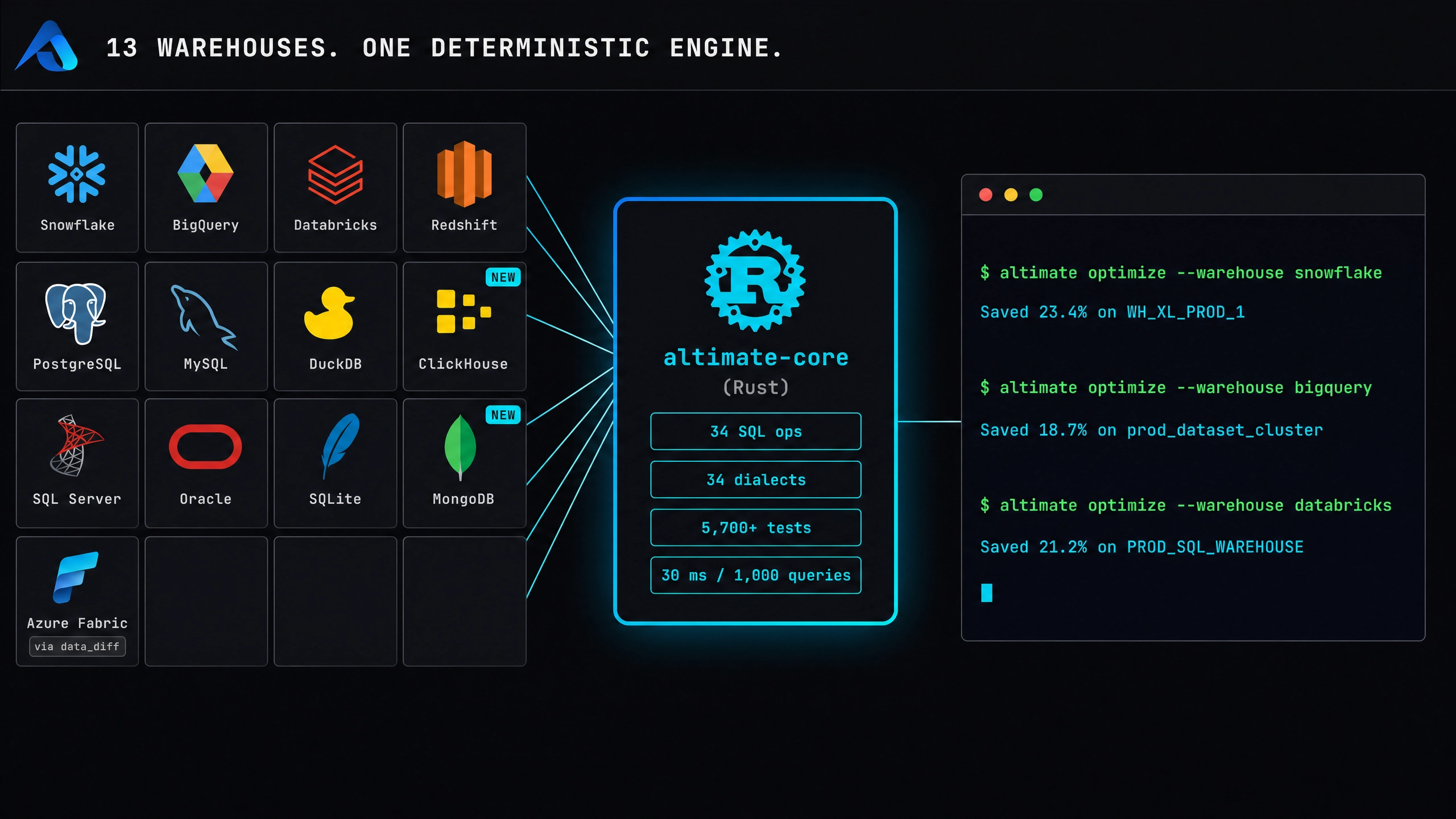
Altimate MCP has the three warehouse integrations wired. The walkthrough at optimize warehouse costs with Altimate MCP frames the surface as multi-cloud comparative analysis. What the agent can do across the three clouds:
| Cloud | Read | Act |
|---|---|---|
| Snowflake | ACCOUNT_USAGE.QUERY_HISTORY, WAREHOUSE_METERING_HISTORY, plus the Altimate-only altimate_analyze_snowflake_query, altimate_analyze_snowflake_table, altimate_analyze_query_opportunity | recommend warehouse-size changes, query rewrites |
| Databricks | cluster API, job runs API, notebook activity | databricks_terminate_cluster, databricks_create_cluster, right-size existing clusters |
| BigQuery | INFORMATION_SCHEMA.JOBS_BY_PROJECT, slot reservations API | recommend query optimisations, slot reservation changes |
A single prompt drives the analysis across all three. The Databricks side is the most action-rich because the API supports it; Snowflake and BigQuery are recommendation-shaped by default, with the engineer applying the change. One agent, three warehouses, the cross-cloud comparison happens in the IDE.
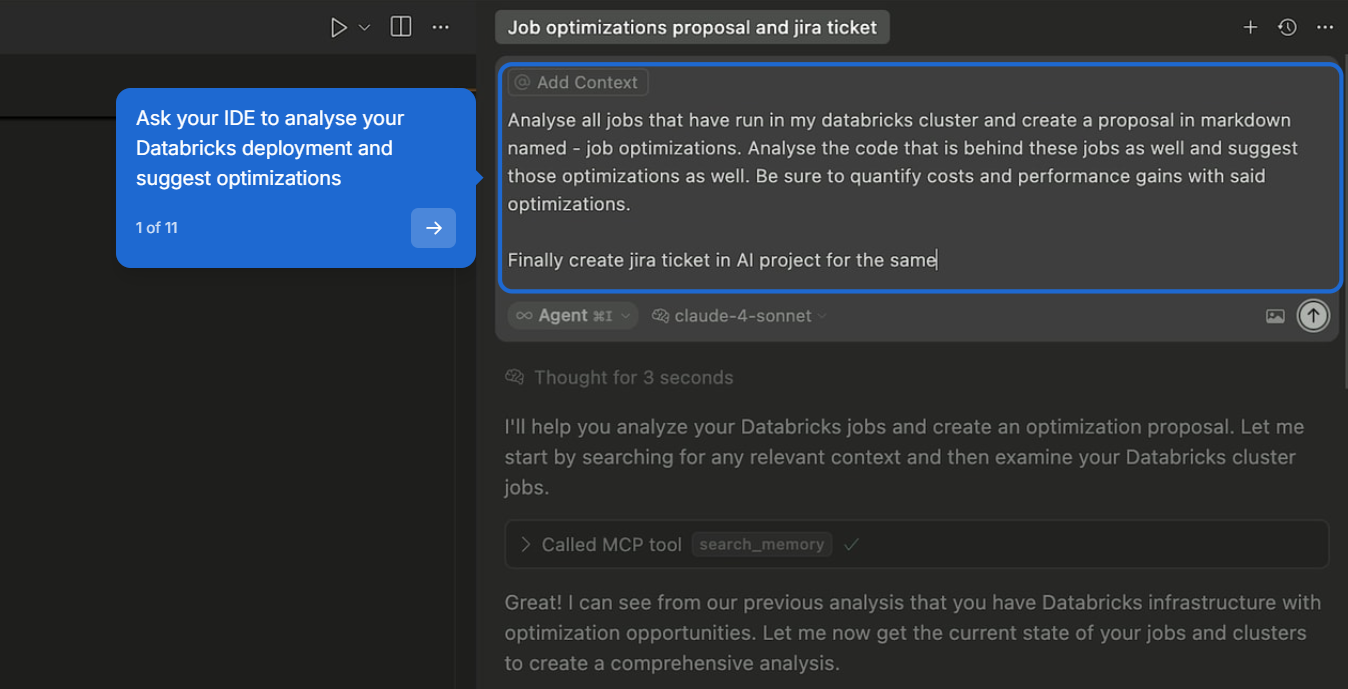
Here is one such Databricks run end to end. The engineer asks for a single deliverable: a quantified savings proposal and a tracked ticket, in one prompt:
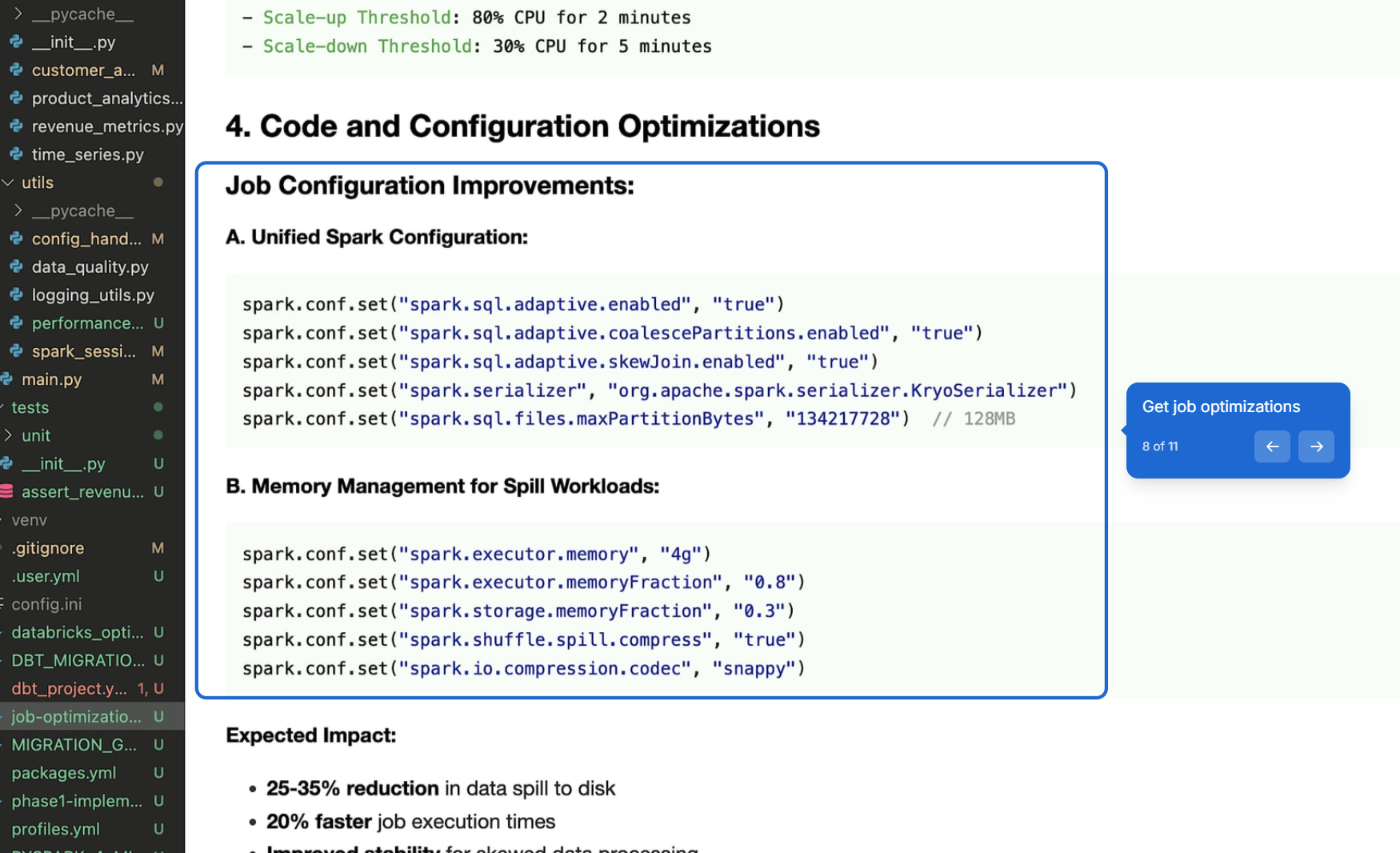
The agent reads the actual job history and proposes concrete Spark configuration changes, each with an expected impact rather than a vague recommendation:
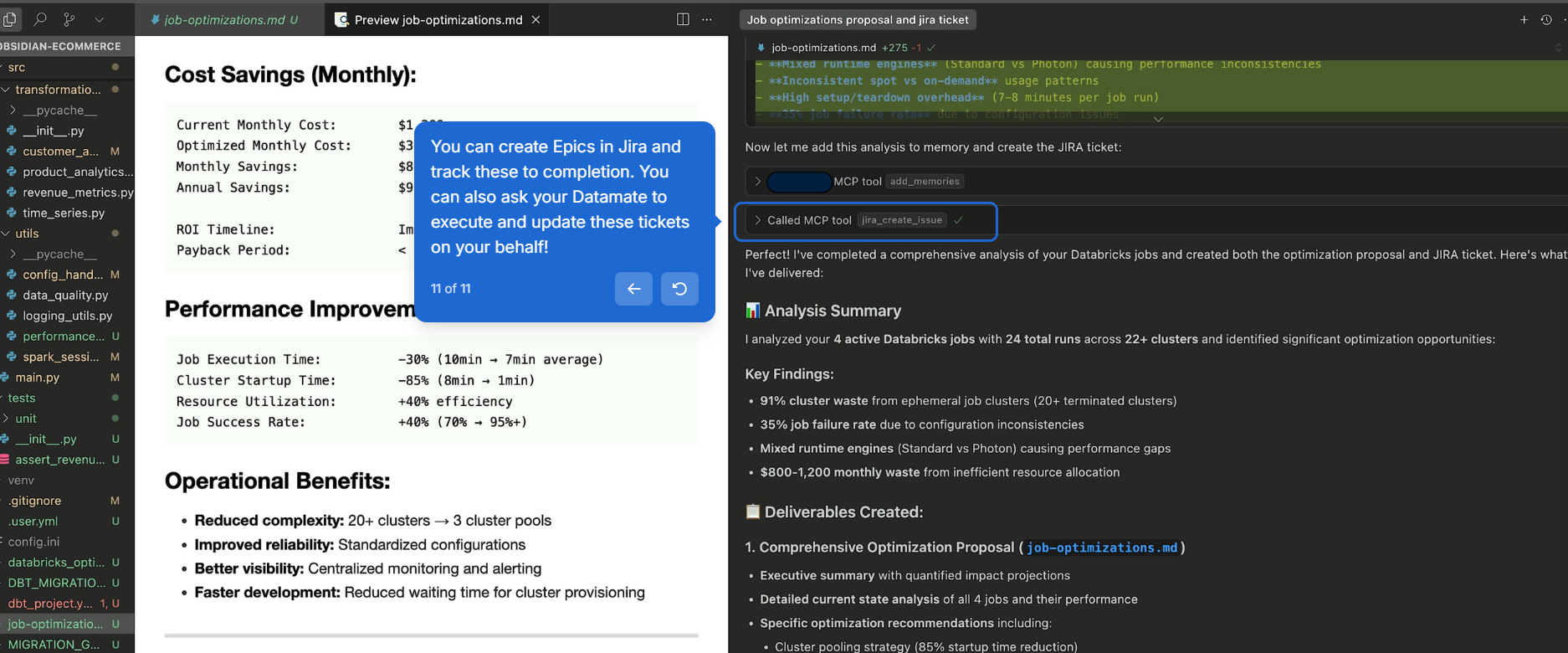
It closes the loop itself: the waste and failure rate get quantified, the proposal is written down, and the Jira ticket exists before the engineer has to ask for one:
A Worked Sequence, The Monthly FinOps Review
The realistic shape of a monthly FinOps prompt:
- Prompt. "Find the top 5 cost drivers across our Snowflake, Databricks, and BigQuery workloads from the last 30 days. Identify clusters that are idle for more than 70% of the day. Suggest right-sized cluster configs for the Databricks ones, and surface the most expensive Snowflake queries that match an anti-pattern."
- Snowflake side. The agent runs
ACCOUNT_USAGEqueries against the connected Snowflake account, callsaltimate_analyze_query_opportunityto identify candidates, and reports the top expensive queries with the anti-pattern findings. - Databricks side. The agent hits the cluster API, computes utilisation per cluster over the window, identifies idle clusters, and proposes right-sized configurations. With the engineer's confirmation,
databricks_terminate_clustershuts down the idlest,databricks_create_clusterstands up the new shape. - BigQuery side. The agent queries
INFORMATION_SCHEMA.JOBS_BY_PROJECT, ranks by slot-ms consumed, calls out the expensive queries, suggests rewrites the engineer can take to the team. - Output. A cross-cloud table the manager pastes into the FinOps deck. The Memory Hub stores the patterns that worked (the cluster shape that survived the change, the query rewrite that cut slot-ms).
The companion article on the Altimate MCP context backbone covers how the same agent runs in Cursor, Claude Code, Cline, or Altimate in VS Code. One prompt, three clouds, one IDE session.
The Three Altimate-Only Tools That Wrap Snowflake
The Snowflake side has three deep-analysis tools the agent's free tier does not ship. They live in the Altimate integration and require the Enterprise tier:
| Tool | What it returns |
|---|---|
altimate_analyze_snowflake_query | the engine's verdict on a single query, including cost estimate and anti-pattern findings |
altimate_analyze_snowflake_table | table-level cost and access patterns (the cost of every read/write on the table over the window) |
altimate_analyze_query_opportunity | the optimisation candidates worth working on, ranked |
The three are the entry point to the broader Enterprise Platform cost-optimisation surface (covered in the SP-series articles, including Auto Tune and the cost-attribution rules engine). Altimate MCP is the IDE-side entry; the platform is the full-time, run-continuously layer.
The Action-Then-Memorise Pattern
The pattern that makes Altimate MCP compounding over months is the action-then-memorise loop. The agent terminates the idle cluster, runs the new configuration for a week, the engineer confirms the new shape is right, the Memory Hub stores the decision. The next month's analysis starts with the previous month's confirmed patterns; the agent does not re-discover them. Cross-team Memory Hub sharing means the second engineer who runs the same prompt picks up the same patterns. The companion article on the PySpark migration with Memory Hub covers the same Memory Hub mechanic on a different workload.
The pattern's value comes from running it across months. Month 1: the agent identifies five candidates, the engineer signs off on three, two save real cost. Month 2: the agent recalls the wins, identifies two new candidates, the engineer signs off. By month 6, the team has a library of confirmed patterns and the monthly FinOps review takes an hour, not a day.
What Lands When The Cross-Cloud Analysis Runs In One Place
Altimate MCP covers the three jobs the monthly review used to require: discovery (system-table queries across three clouds), execution (cluster termination and right-sizing on Databricks, recommendations on Snowflake and BigQuery), and memory (the patterns that worked stored in the Memory Hub for next sprint). The Altimate-only Snowflake tools deepen the Snowflake analysis; the platform's Auto Tune covers the continuous-optimisation side. The day-a-month FinOps review becomes an hour-a-month prompt. One agent, three clouds, a compounding pattern library.