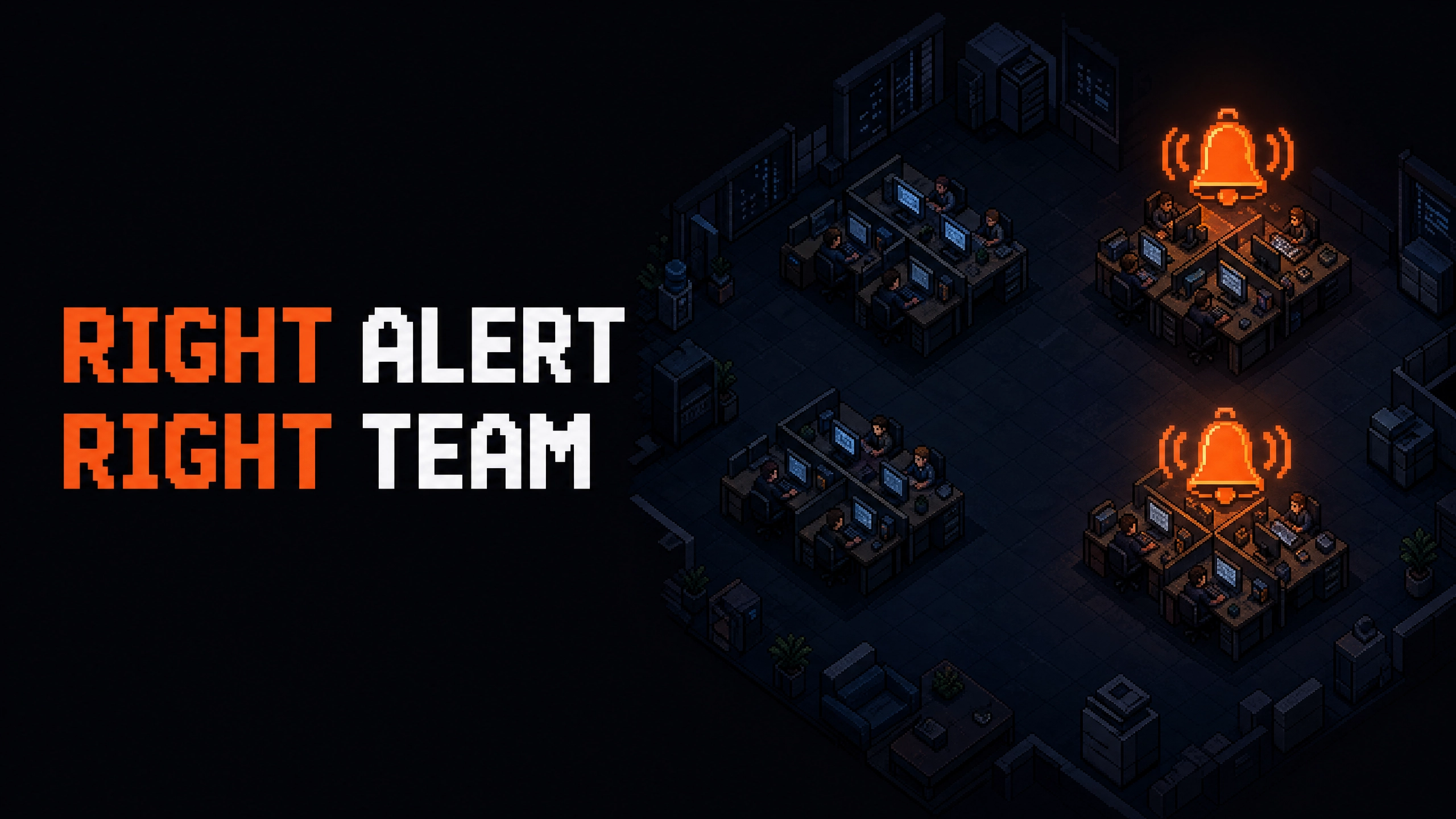
- Pain. Cost alerts are wired to warehouses, but the org runs on teams, so an overrun fires per-warehouse alerts to the wrong people, or no alert at all, because nobody owns the aggregate.
- Who it is for. Engineering managers and platform leads writing cost alerts across warehouses.
- What it is. Altimate's Enterprise Platform lets a team subscribe to cost alerts as a single entity instead of wiring a rule per warehouse.
Cost Alerts Wired To Warehouses Miss The Way The Team Is Actually Structured
A retail-analytics engineering manager runs five warehouses across her data-products team. The team's combined budget is $400/day. Today's bill is $480, distributed unevenly: one warehouse at $180 (twice its usual), the others at $60-90. The team's alert configuration is per-warehouse with a $100 threshold; today, no warehouse breached the threshold individually, so no alert fired. The overrun showed up two weeks later on the cost report. The manager rebuilt the alert configuration five times (once per warehouse, plus a sixth attempt at an aggregate dashboard that nobody owns).
The alerting layer is wired to the wrong primitive. The team owns the budget; the warehouses are the implementation. Altimate makes team first-class, plus four other pieces that close the loop.
What The Team-Aware Alerting Surface Adds
Five pieces build the team-aware alerting surface:
| Capability | What it adds |
|---|---|
| Team alerts, webhooks, cloning, same-weekday comparisons | webhooks as first-class delivery, a Clone button, team as a first-class entity, same-weekday comparison mode, server-side tag-filter search |
| Redesigned daily cost alerts | cleaner layout and readability for the daily-cost email and Slack alerts |
| Test subscription delivery before saving | "Send preview to destination" runs a real evaluation, delivers to all configured destinations, per-channel success/failure in a toast |
| Databricks subscription alerts | Databricks-specific entity types (job, cluster, SQL Warehouse), same delivery channels, same backend |
| Searchable tags filter and a saner default schedule | high-cardinality tag spaces no longer freeze the picker; the default cadence matches what most teams actually want |
Together they turn the alerting surface from a per-warehouse plumbing exercise into a team-budget surface. The right owner hears about the overrun, on the right cadence, through the right channel.
"Team" As The Alert Primitive
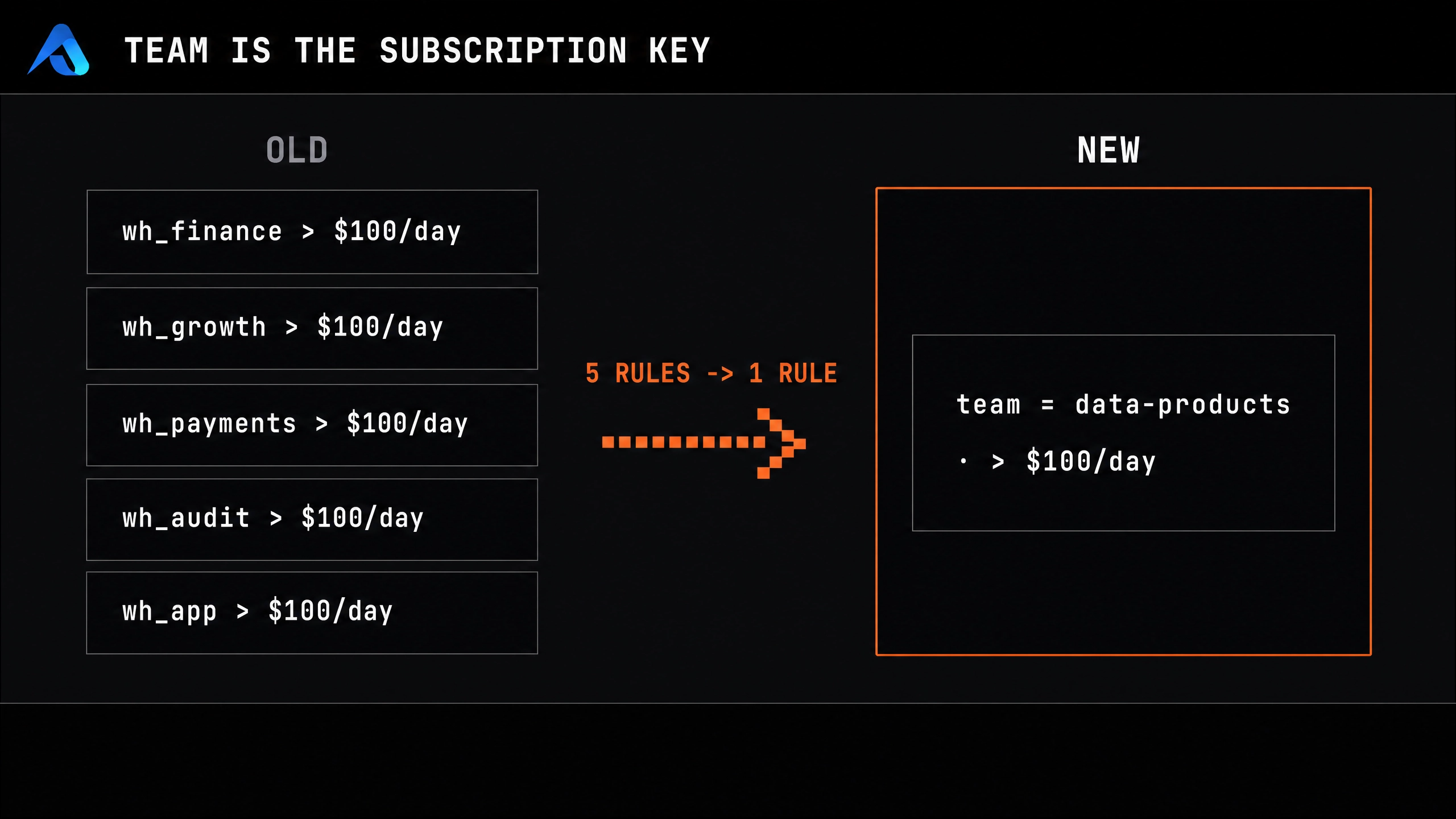
The change that mattered most was making team first-class. Before:
# Old shape: write five separate rules
- warehouse: WH_DATA_PRODUCTS_ETL
  daily_cost_max: 100
- warehouse: WH_DATA_PRODUCTS_ANALYTICS
  daily_cost_max: 100
# ... three more
After:
# New shape: one rule on the team
- entity: team
  team: data-products
  daily_cost_max: 400
The team identifier comes from the tenant's existing query-tag conventions (the same conventions that feed Studio cost analysis and QTP team attribution). The rule fires on the aggregate, the alert goes to the team's Slack channel, the right owner is in the loop. One rule, the right scope, the right person.
Same-Weekday Comparison Is The Small Math Fix That Catches The Real Spikes
The day-over-day baseline used to flag Monday morning's ETL spike every Monday. The same-weekday comparison fires on Monday only when Monday is unusual for Monday. A workload with weekly seasonality (the team's morning batch is heavy every Monday, light every Tuesday) gets the right baseline:
| Mode | What it compares | Best for |
|---|---|---|
| Day-over-day | today vs yesterday | flat-cadence workloads (steady throughout the week) |
| Same-weekday | today vs the prior week's same day | weekly-seasonal workloads (most real workloads) |
Pick the mode that fits the workload. The default for new rules is same-weekday for any rule on a Snowflake or Databricks entity, because most workloads have weekly seasonality somewhere.
Test-Before-Save Makes The Rule's First Run A Known Quantity
A misconfigured rule is the worst kind of rule: it sits silently until the next overrun, then fails to fire. "Send preview to destination" is a functional button. Click it before saving and the rule:
- Runs a real evaluation against the team's data.
- Delivers the alert to every configured destination.
- Reports per-channel success or failure in a toast.
A typo'd email lights up red. A misconfigured Slack webhook reports the failure. A correctly-configured rule sees the preview in the destination channel exactly as the next real fire would land. The rule that gets saved is a rule the team has already seen in production. The first fire is no longer the first test.
Three Delivery Channels And The Clone-And-Edit Shortcut
Slack, email, and webhook all work the same way on the same rule. The Clone button on any rule or report duplicates it and opens the copy in the wizard ready to edit; the engineer adjusts the team, the threshold, or the destination, and saves the variant. A team that needs five team-level rules with the same structure builds the first one carefully and clones the rest. One rule, five variants, no copy-paste.
The webhook channel matters for teams running incident workflows in a tool other than Slack (PagerDuty, Opsgenie, custom). The webhook payload is typed JSON with tenant, timestamp, and a deep-link back to the dashboard.
What Lands When The Alerts Match The Org Chart
The combined surface (team-first-class, webhook delivery, same-weekday comparison, test-before-save, clone-and-edit, Databricks parity) closes the gap between the team's actual budget structure and the alerting layer. The companion Query Timeout Prediction article covers the runtime-level alert that fires before the bill lands; the Studio cost analysis article covers the investigation that follows; the scheduled artifact article covers the cadence that pairs with the alerts. Cost alerts route to the team that owns the budget, on the cadence that matches the workload, through the channel the team already runs in.