- Pain. Migrating a sprawling PySpark codebase to dbt spans sprints and dozens of modules, complex enough that teams default to a services engagement rather than risk losing track of what's already converted.
- Who it is for. Platform leads and analytics engineers migrating PySpark to dbt on Databricks.
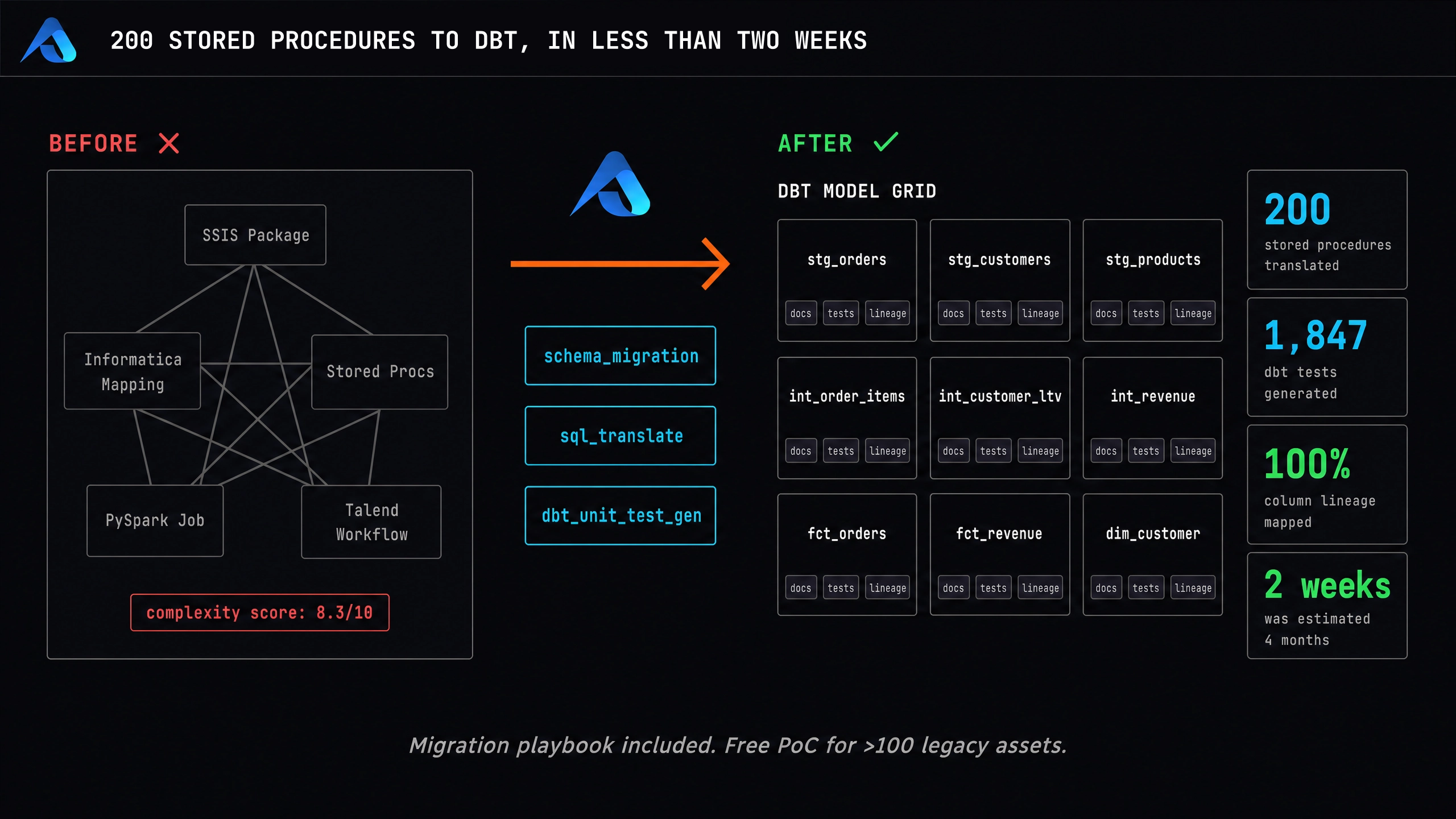
- What it is. Altimate MCP reads the PySpark codebase, plans a phased migration to dbt, and stores the plan in the Memory Hub so the next sprint picks up where this one left off.
The Migration That The Services Firm Priced As Six Figures
A retail-analytics platform lead has a Databricks-based PySpark project that powers e-commerce reporting. Twelve transformation modules across revenue, customer, product, and time-series analytics. A profiles.yml for the target warehouse already exists. The migration to dbt is on the roadmap, the services firm's quote is six figures, the timeline is two quarters. The lead's internal answer would normally be: pay the firm, get the migration, lose the institutional knowledge. The right answer is to keep the work in-house with an agent that reads the codebase, plans the phases, and remembers the goals next sprint.
The PySpark-to-dbt walkthrough at migrate PySpark to dbt with Altimate MCP is that path. Altimate reads the project; the team writes the migration.
Codebase Understanding Before The First Line Of dbt
The walkthrough's first phase is not generation; it is reading. The agent analyses the existing PySpark project before proposing any dbt:
| What the agent reads | What it extracts |
|---|---|
main.py (entry points) | run order, which modules fire under which jobs |
readers/ (data readers) | source tables, file paths, read patterns |
validation/ (data quality modules) | the team's data-quality checks |
transformations/revenue.py etc. | the actual business logic per domain |
profiles.yml | the target Databricks warehouse setup |
| Memory Hub | prior decisions on this migration |
The agent reports back what it found in plain English. The engineer reviews. Only after the engineer confirms the project structure does the agent move to the planning phase. The migration is not a guess; the agent has read the code.
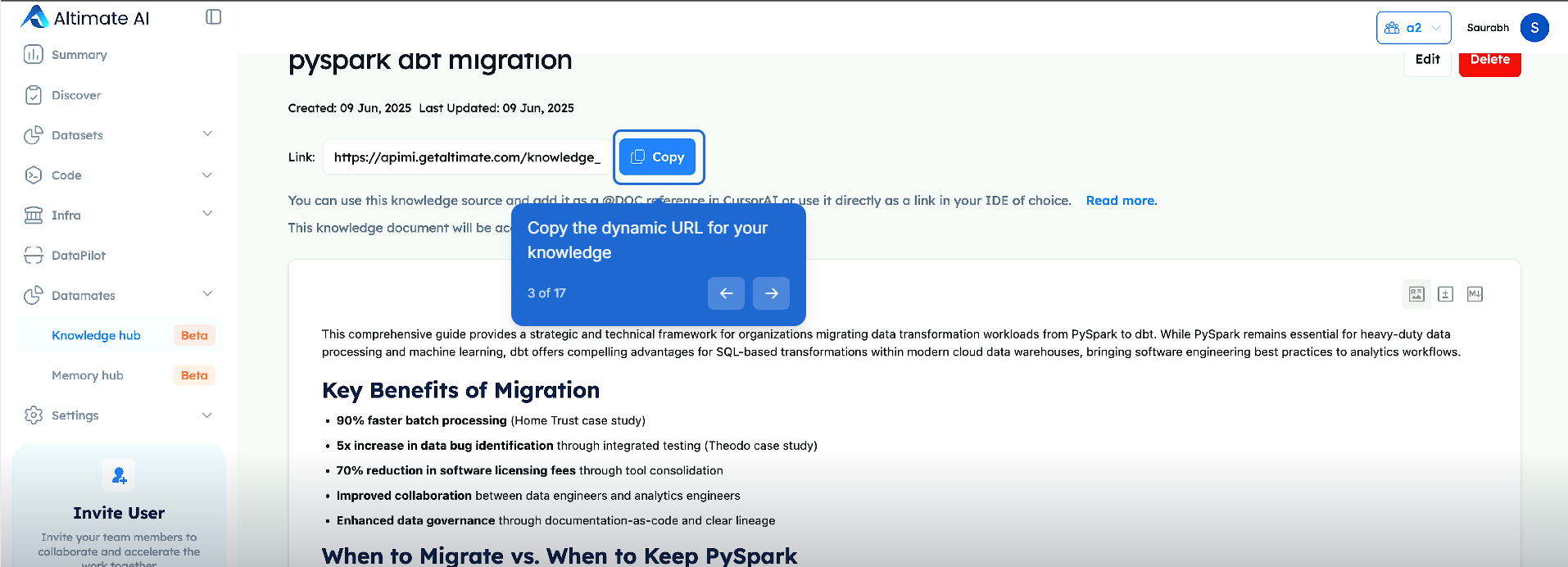
The team's migration guide lives in the Knowledge Hub as a shareable document, so the same rules apply whether the agent or a person picks up the work:
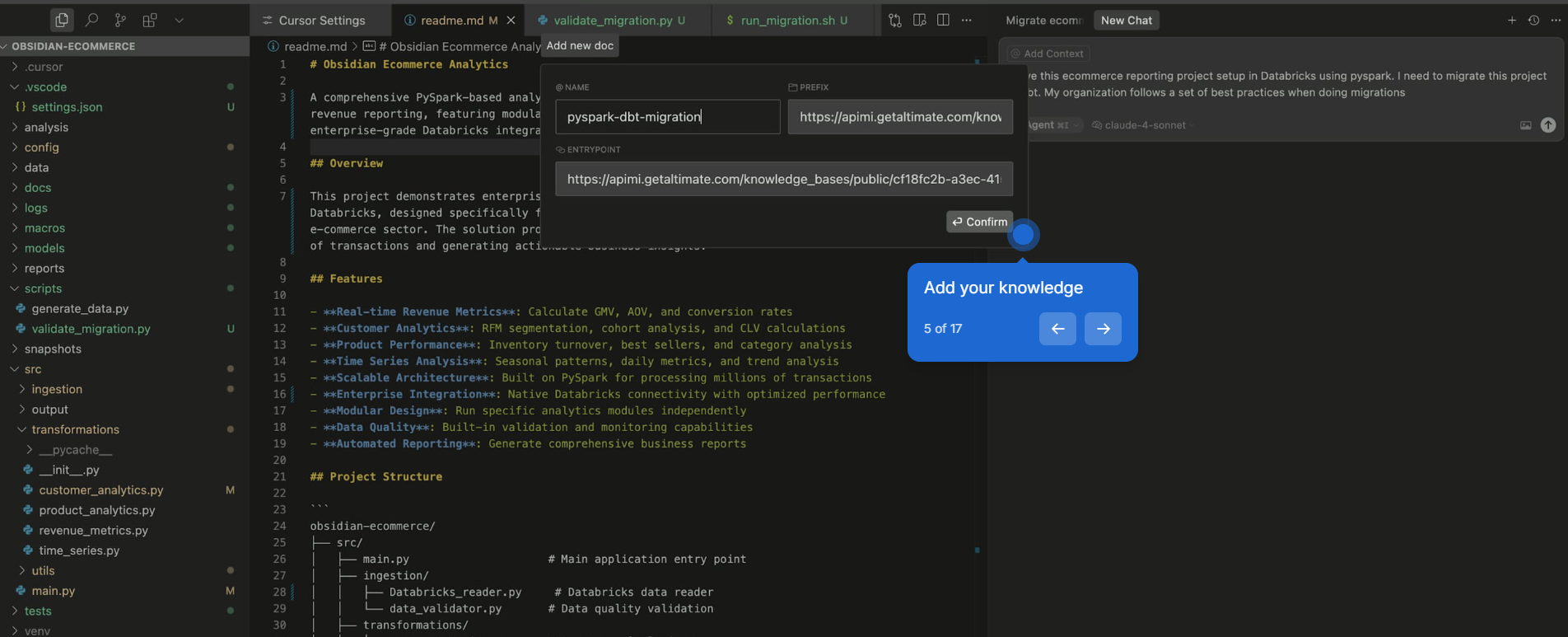
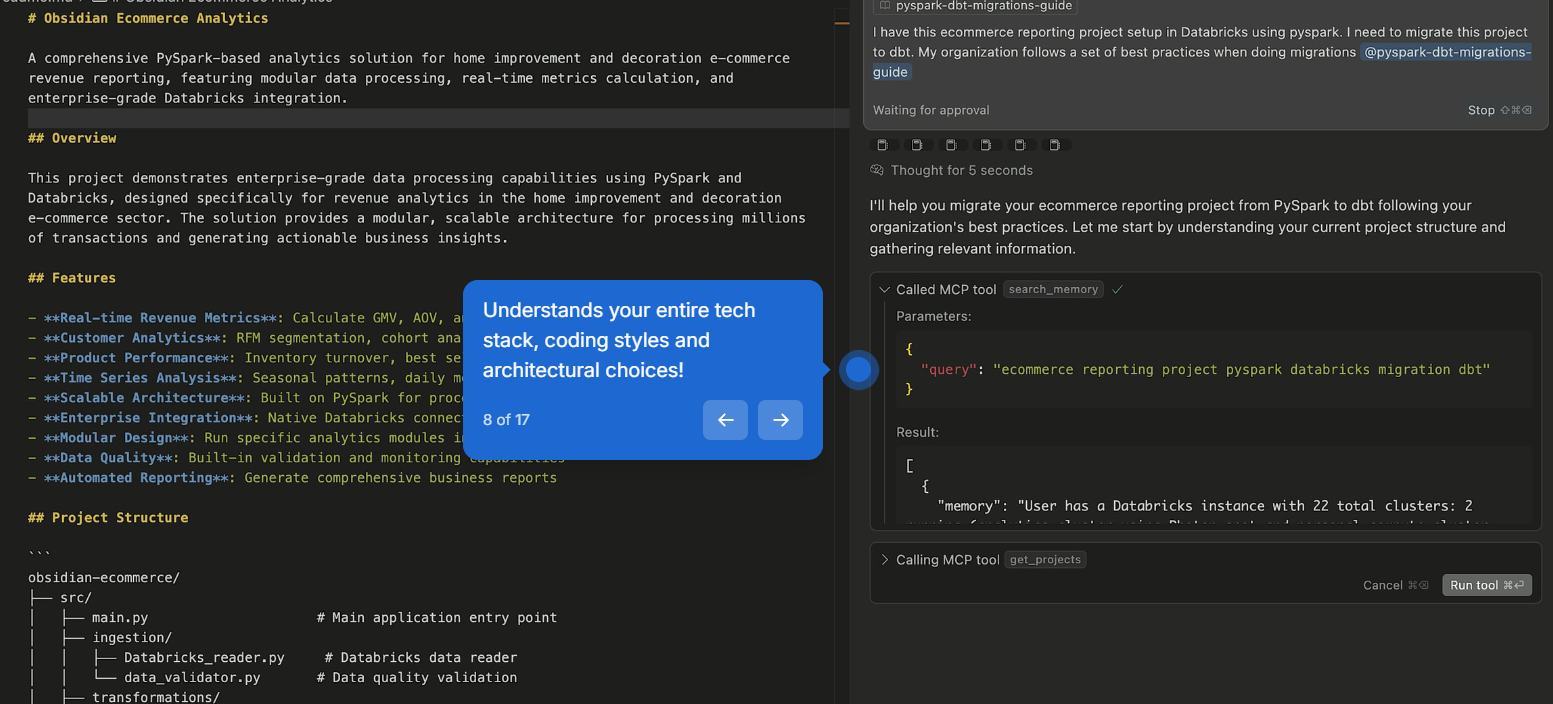
In the IDE, the engineer attaches that guide as a doc reference and asks the agent to migrate the project. This is where the request starts, in plain language, with the team's own conventions already in scope:
Before writing anything, the agent checks memory for what it already knows about this project, so it does not start from zero every session:
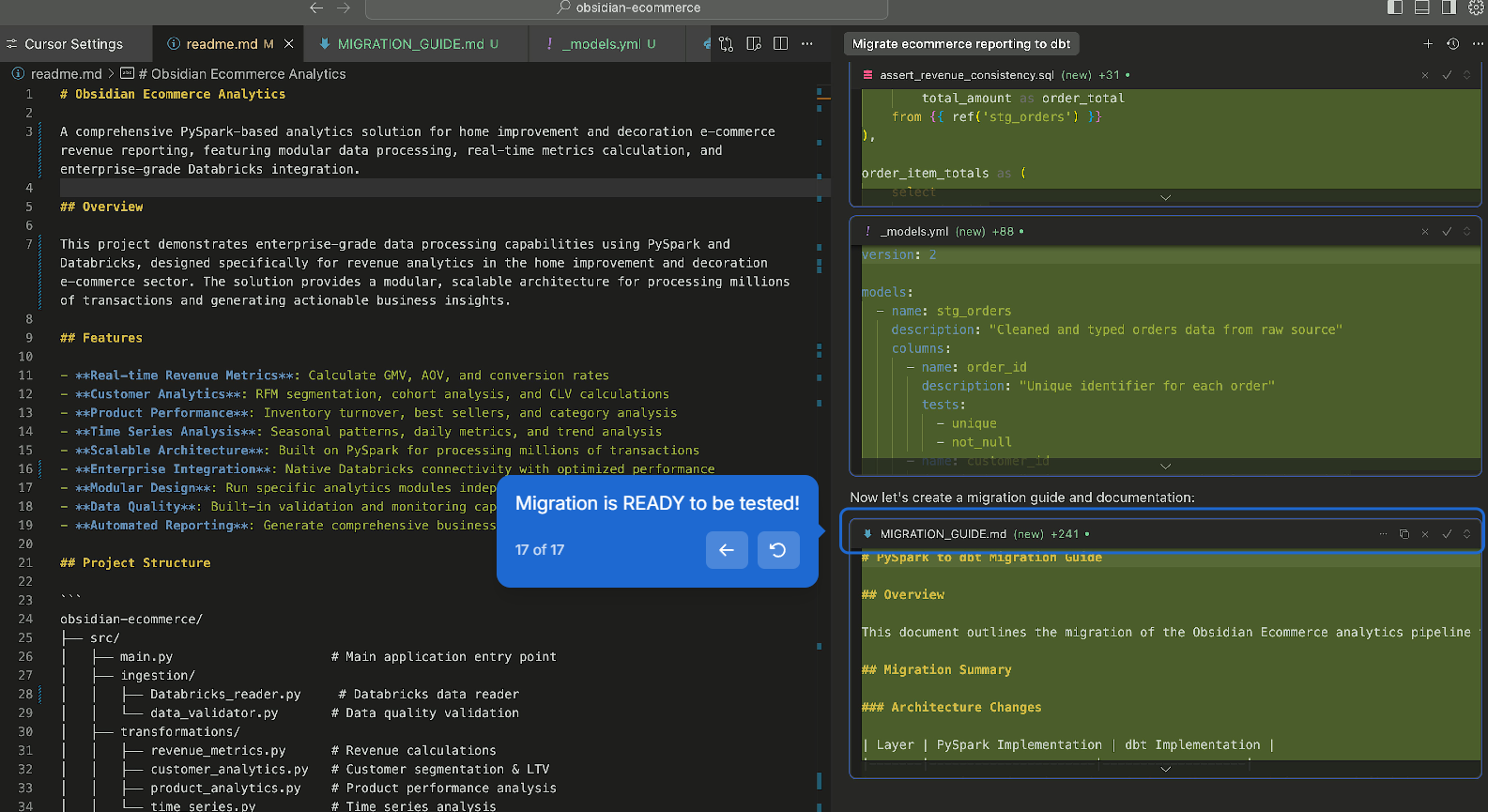
The result: a new dbt model with its schema and tests, plus a migration guide documenting exactly what changed, ready for the engineer to test:
The Knowledge Hub Artifact Carries The Team's Migration Rules
The Knowledge Hub artifact (forked from the Altimate "PySpark dbt migration" template or written by the team) carries the rules the agent applies to the plan:
| Rule the artifact carries | What it changes about the plan |
|---|---|
Layering convention (stg_ → int_ → mart_) | every migrated module fits the convention |
| Test requirements per layer | the agent generates the right tests at each layer |
| When to migrate vs when to keep PySpark | the agent flags modules that are not good migration candidates |
| Naming conventions per domain | the agent uses the team's preferred names |
| Performance expectations | the agent budgets the warehouse cost per phase |
The artifact has a stable URL the engineer references in the prompt; the agent reads it as part of the context. The companion Knowledge Hub article covers the multimodal upgrade where the artifact can include diagrams (an architecture diagram showing the target layout, for instance) that the answer cites alongside text.
The Plan And The Per-Phase Execution
The agent proposes a phased plan based on the codebase reading. The realistic shape of the walkthrough's plan:
| Phase | Scope | Output |
|---|---|---|
| Phase 1 | data readers (readers/) + validation modules (validation/) | dbt sources + staging models with the original data-quality checks restated as dbt tests |
| Phase 2 | revenue, customer, product transformations | intermediate dbt models with the business logic preserved |
| Phase 3 | time-series analytics | mart-layer dbt models with the time-series grain enforced |
| Phase 4 | the orchestration glue (the equivalent of main.py) | a dbt-native job graph, executed by the team's orchestrator (Airflow, Dagster, dbt Cloud) |
For each phase, the agent generates the dbt SQL plus the YAML, runs compile_model to confirm the model parses, runs databricks_execute_sql against the Databricks SQL warehouse to verify the output rows match the PySpark output (using the parity-check pattern from the companion warehouse migration article). The engineer reviews, signs off, and the agent moves to the next phase. One phase at a time; verification at each step; nothing ships without a row-count match.
The Memory Hub Is What Makes The Migration Survive A Sprint Break
A migration that pauses for a holiday or a feature freeze is a migration that forgets where it was. The Memory Hub fixes that. From the walkthrough:
The Altimate MCP intelligently searches for relevant previous memories to reduce hallucinations or rework, demonstrating its understanding of your entire tech stack, coding styles, and architectural choices.
The Memory Hub stores:
| What goes in | What the next sprint reads back |
|---|---|
| The phased plan and the team's sign-off | which phase to pick up next |
| The conventions decided in phase 1 | so phase 2 stays consistent |
| The modules already converted | so phase 3 does not re-do work |
| The patterns that worked (and the ones that did not) | so the next module's generation skips the dead ends |
Cross-team Memory Hub sharing makes the same context available across team members. A second engineer joining the migration in week 4 picks up the agent in the IDE, the Memory Hub fills in the context, the work continues. The migration is not in someone's head; it is in the Memory Hub.
Twelve Databricks Tools, With Notebook Export As The Hidden One
Altimate calls 12 Databricks tools, documented in the Databricks integration guide. The two that matter most for migration:
databricks_export_notebookwith format options SOURCE, HTML, JUPYTER, DBC. Useful when the PySpark logic lives inside Databricks notebooks rather than a.pyrepo. The agent exports the notebook in SOURCE form, reads the code, generates the dbt equivalent.databricks_execute_sqlwithwarehouse_id. Runs the SQL of the new dbt model against the Databricks SQL warehouse to verify the output rows match the PySpark output.
The companion article on the Altimate Code warehouse migration story covers the dialect-translation side; this agent-driven flow extends the same pattern with the codebase-context and Memory Hub layers that a long-running migration needs. The companion PowerUser Plugin for dbt translateSQL article covers the editor-side translation tool that handles individual files.
What The Agent Makes Possible That The Services Firm Did Not
The agent turns a six-figure outsourced migration into a phased, team-driven project. The codebase-reading step gives an honest project plan up front; the Knowledge Hub artifact keeps the team's conventions enforced; the Memory Hub keeps the context across sprints; the Databricks integration verifies parity per phase. The companion articles on the warehouse migration story, editor-side dialect translation, and the sprint-work agent cover the layers around it. The migration is the team's; the agent is the workbench.