Altimate AI vs SELECT (select.dev)
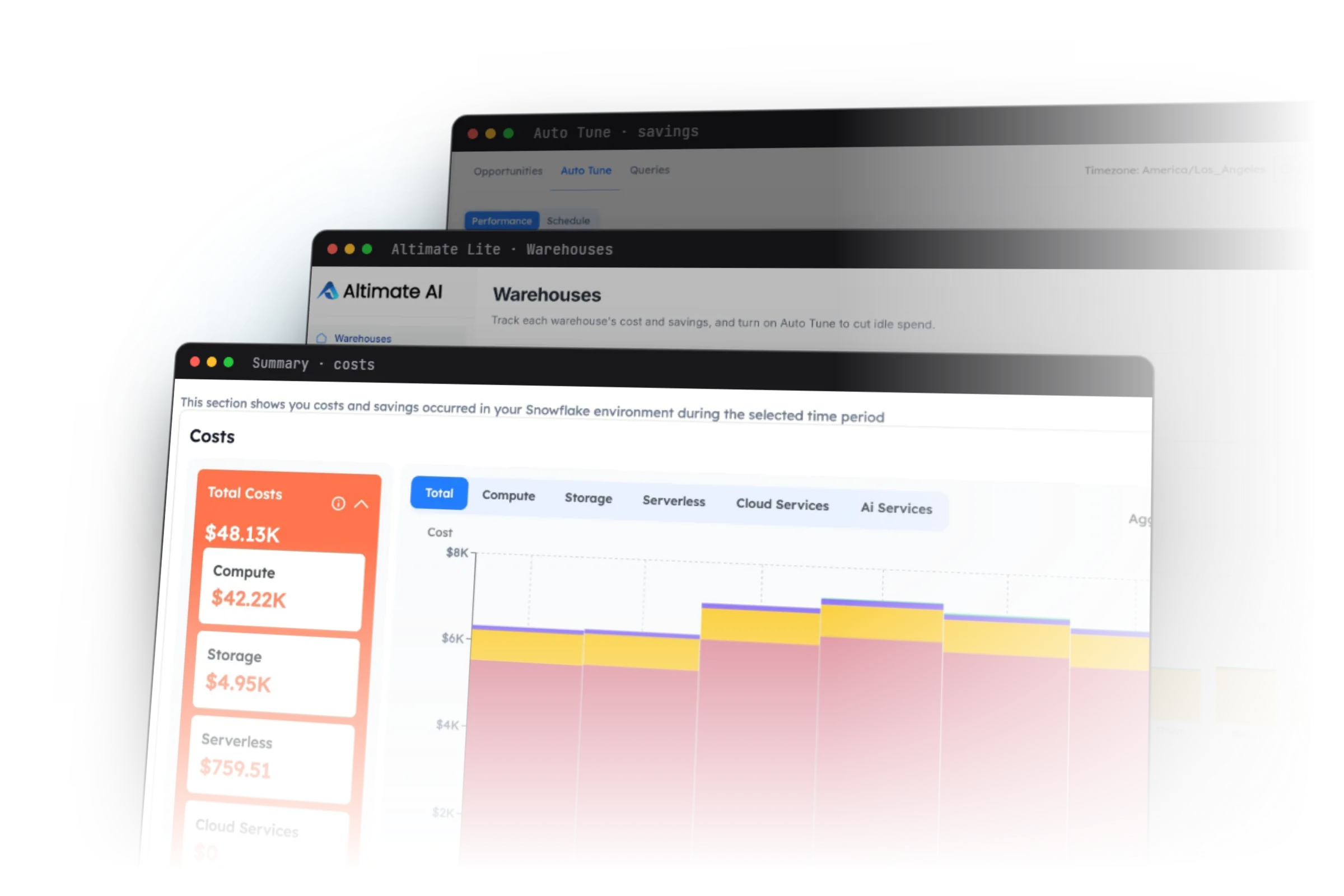
SELECT is primarily a cost visibility and reporting tool. Altimate AI provides agents that run custom cost analysis, implement optimization recommendations, and prevent costly issues earlier in the development lifecycle.
TL;DR
- Altimate AI changes warehouse sizing far more frequently within a day, dynamically based on live load, with detailed explanations and an audit history of every change.
- Prevent costly mistakes during development of dbt and SQL code through IDE extensions, the altimate-code CLI, and Git integrations.
- Altimate Studio offers AI agents that run custom analysis and reports across your entire data stack — warehouses, pipelines, and BI layers — using metadata such as query profiles, lineage, and dashboard and report access history.
- SELECT's architecture runs entirely inside Snowflake, so all data processing for insights and recommendations happens on the customer's own Snowflake warehouses. Altimate AI's enterprise edition runs that processing in the Altimate AI SaaS instead, avoiding the higher cost of operation SELECT's approach imposes on the customer.
Side by side
Altimate AI vs SELECT (select.dev) capability comparison
Every capability, grouped by area.
| Capability | Altimate AI | SELECT (select.dev) |
|---|---|---|
| Snowflake Cost Optimization | ||
| Warehouse autotune with intraday resizing and decision explanations | Yes | No |
| Autonomous changes checked against query SLAs | Yes | No |
| Query timeout predictions | Yes | No |
| Predictive spend forecasting and budget alignment | Yes | No |
| Cost visibility and reporting | Yes | Yes |
| dbt model and workload level cost visibility | Yes | Yes |
| Databricks Cost Optimization | ||
| Automated job and cluster optimization | Yes | Yes |
| Databricks cost visibility and attribution | Yes | Yes |
| Fixes & Prevention | ||
| AI-generated code fixes for savings opportunities | Yes | No |
| Assign saving opportunities to team members | Yes | Yes |
| Prevention in the IDE and CI, before spend is committed | Yes | No |
| AI agent for custom analysis and report creation | Yes | No |
| BI & Lineage | ||
| Tableau user license downgrade recommendations | Yes | No |
| Tableau dashboard refresh and view frequency drifts | Yes | No |
| Cross-stack lineage (dbt → warehouse → BI) | Yes | No |
| Platform & Coverage | ||
| AI agent for data pipeline development (BYO LLM) | Yes | No |
| Pre-purchased Snowflake credit payment | Yes | Yes |
5 reasons
Where Altimate wins
Warehouse resizing that adapts through the day
Altimate AI changes warehouse sizing far more frequently within a day, adjusting dynamically to live load, and records a detailed explanation and full audit history for every change. SELECT tunes on a coarser cadence and does not expose the per-change decision trail.
Costly mistakes caught in development, not after the bill
dbt and SQL cost problems are prevented while the code is still being written — through the IDE extensions, the altimate-code CLI, and Git integrations — instead of being reported after the workload has already run and billed. SELECT has no development-time surface.
AI agents for custom analysis across the whole stack
Altimate Studio offers AI agents that run custom analysis and build reports across your entire data stack — warehouses, pipelines, and BI layers — using metadata such as query profiles, lineage, and dashboard and report access history. SELECT's reporting is fixed to its own dashboards.
Processing that doesn't run on your warehouse
SELECT's architecture runs entirely inside Snowflake, so all processing for its insights and recommendations happens on your own Snowflake warehouses. Altimate AI's enterprise edition runs that processing in the Altimate AI SaaS, so the cost-optimization tool adds only minimal load to the warehouses it is meant to optimize.
Tableau cost a warehouse view misses
Altimate extends cost work into the BI layer: it recommends Tableau user license downgrades for underused seats, and detects dashboard refresh and view-frequency drift where extracts keep rebuilding data that is rarely opened. SELECT stops at the warehouse and does not see this spend.
Straight answer
Where SELECT (select.dev) wins
You only need cost observability and reporting
If the goal is a dedicated cost visibility and reporting surface — dashboards, per-query and per-user attribution, anomaly alerts — and there is no need for an AI-native approach with agents that analyze, fix, and prevent cost issues, SELECT covers that lane well.
You need a specific integration SELECT already ships
SELECT has built-in integrations with certain tools — for example Periscope or Opsgenie — that a given workflow may depend on. Where one of those is a hard requirement, SELECT's existing connector is the simpler path.
Customer example
Why an enterprise cloud security company chose Altimate over SELECT
The team adopted Altimate to go past cost reporting: autotuning warehouse configurations, surfacing inefficient queries, and preventing costly mistakes from data consumers during development. The first phase returned more than $600K in annualized Snowflake savings, and the engagement then expanded from Snowflake cost savings into cost savings for dbt models and other data pipelines — an expansion path a reporting-only tool does not support.
Common questions
SELECT (select.dev) comparison FAQs
30-day POV. We prove the savings before you commit.
OR install the Altimate Lite Snowflake Native App with a free 21-day trial.